
← All products / WhatsApp CRM
WapNotify turns your WhatsApp Business number into a shared CRM for your whole team. Assign chats, keep every customer’s history and notes in one profile, and organise contacts with tags and custom fields — all from one dashboard. No more chats lost in personal phones.
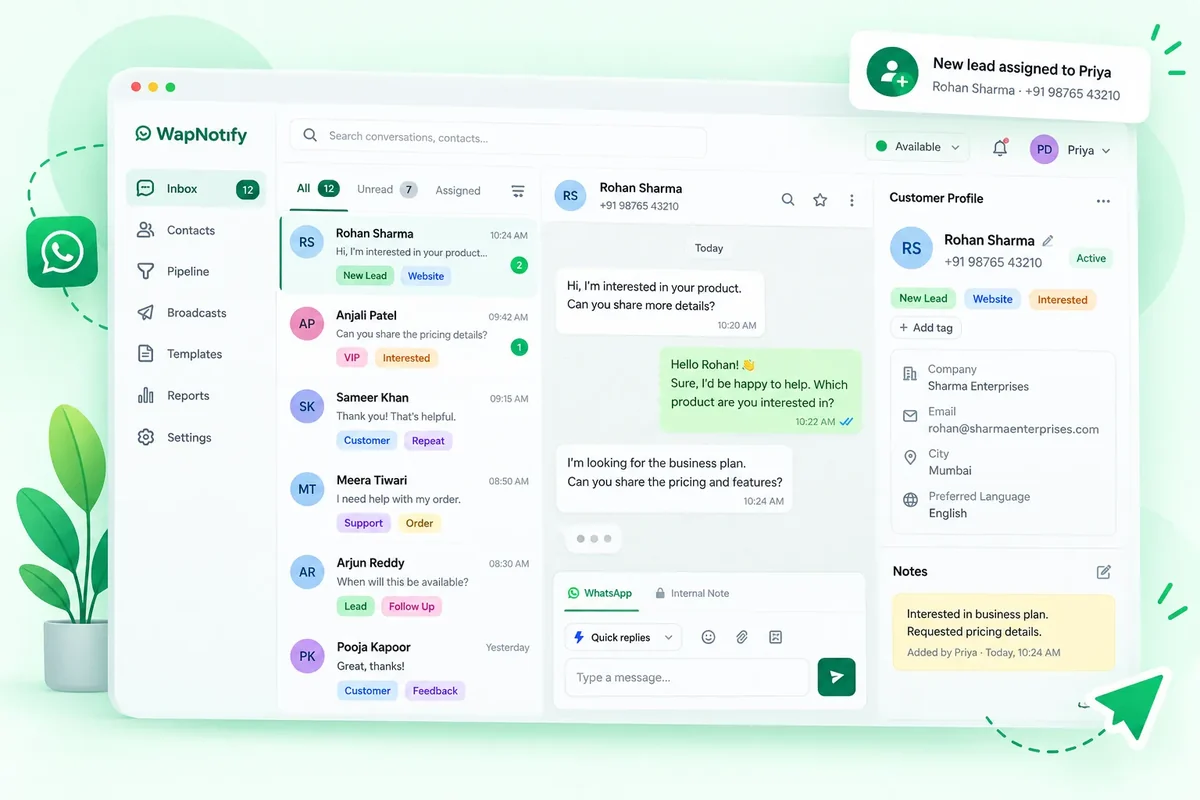
When sales and support run on WhatsApp, conversations end up spread across personal phones. Nobody knows who replied, what was promised, or which leads are waiting.
WapNotify’s WhatsApp CRM puts every conversation from your WhatsApp Business number into one shared dashboard. Your team can assign chats, add private notes, see the full history of every customer, and organise contacts with tags, filters and custom fields.
It is built for sales teams who need a shared inbox and real CRM features in one place, and it runs on the official Meta WhatsApp Business API.
Every WhatsApp chat in one inbox your whole team can work from.
All your customers, organised in one place.
Route every new chat to the right person.
Full context on every customer, every time.
Organise contacts your way.
Keep your team on the same page.
Track your sales from chat to close.
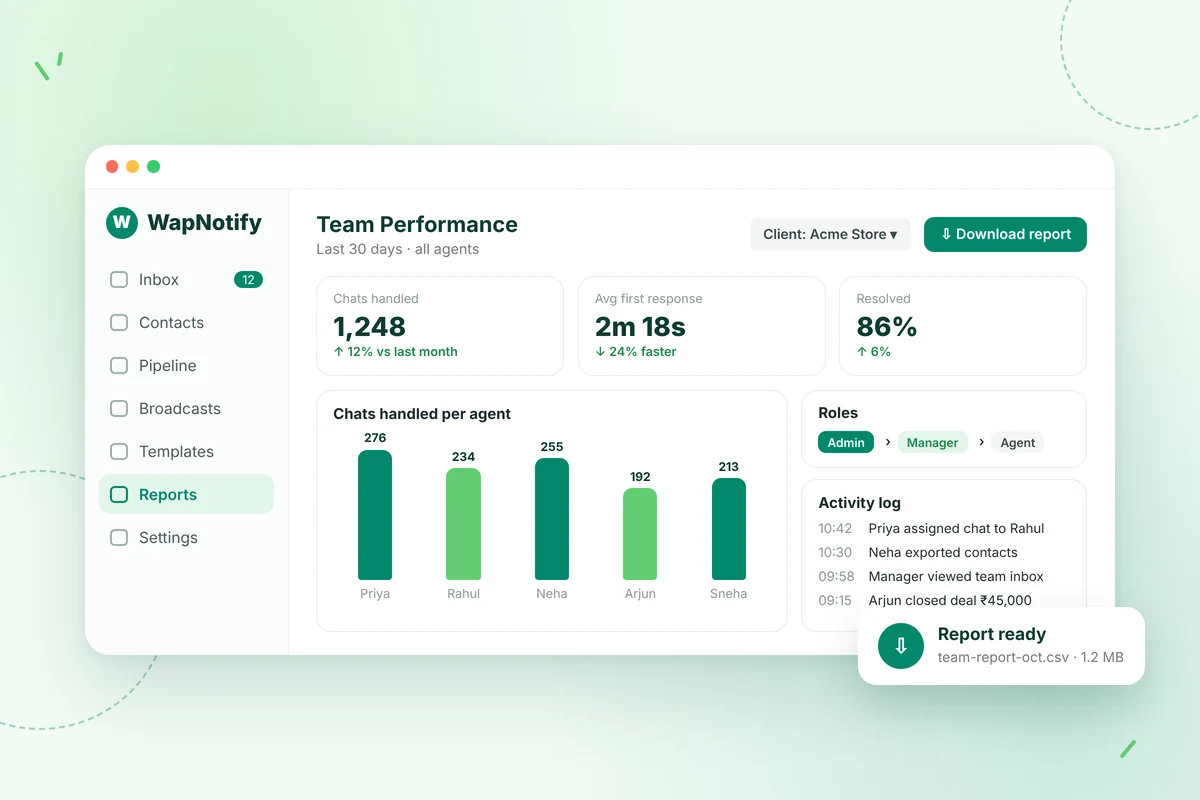
Give managers visibility and control over team activity.
Shared Team Inbox
Bring all conversations from your WhatsApp Business number into a single dashboard. Your team replies from the same number, so chats are no longer tied to one person’s phone.
A live 24-hour window timer shows when you can still reply freely and when you need an approved template.
Key capabilities
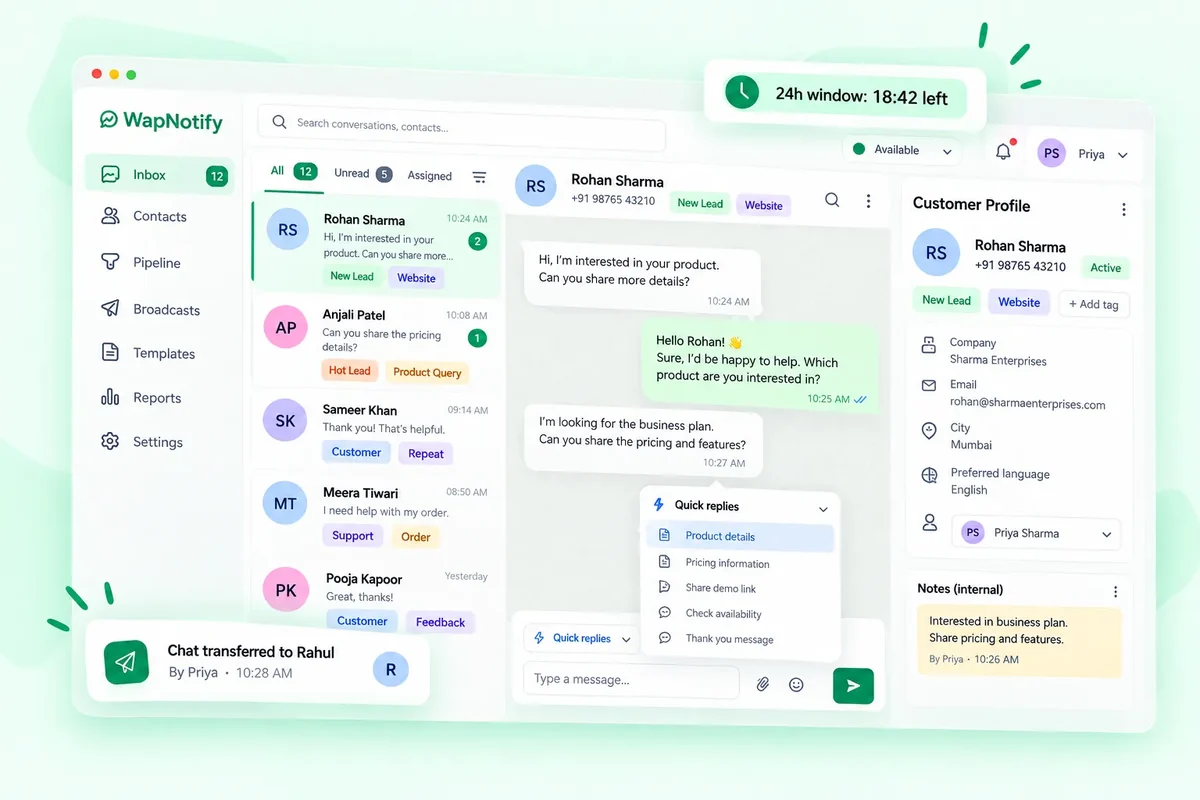
Contact Management
Import your existing contacts by CSV and start organising them straight away. Every contact has a profile that holds their conversations and notes.
Your data stays yours: export contacts at any time.
Key capabilities
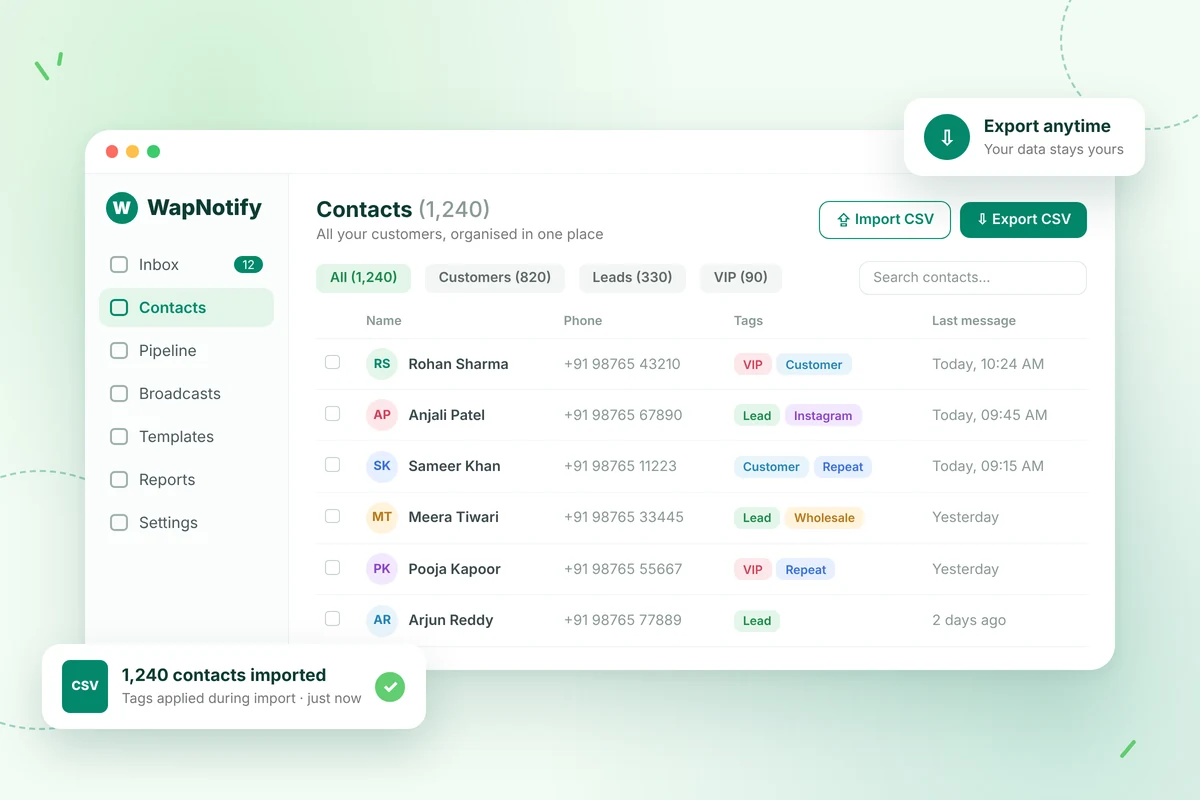
Lead Assignment
Assign conversations to a specific agent or a whole team. Distribute chats automatically by round-robin or by your own rules, so new leads don’t sit unanswered.
Each chat has a clear owner, which makes follow-ups and accountability simple.
Key capabilities
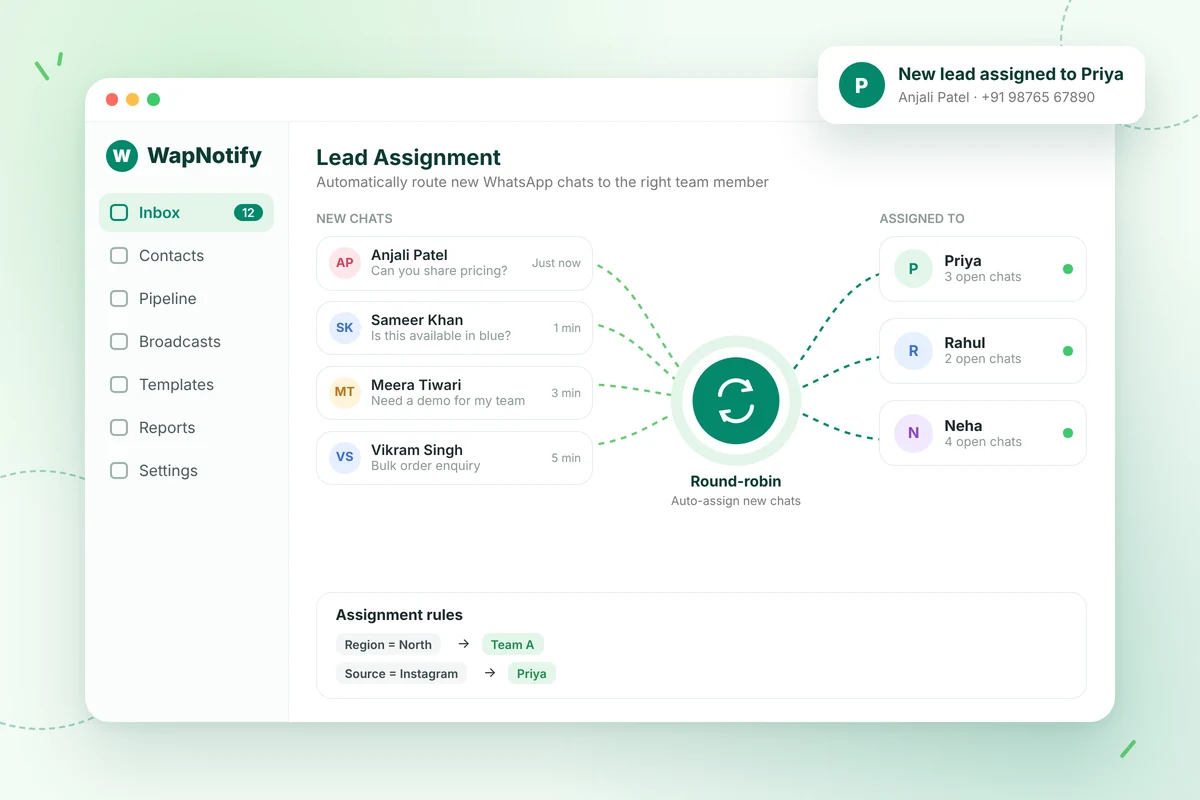
Customer History
Every message and every internal note stays on the customer’s profile. Whoever picks up a chat can see what was said before, without asking the customer to repeat themselves.
Key capabilities
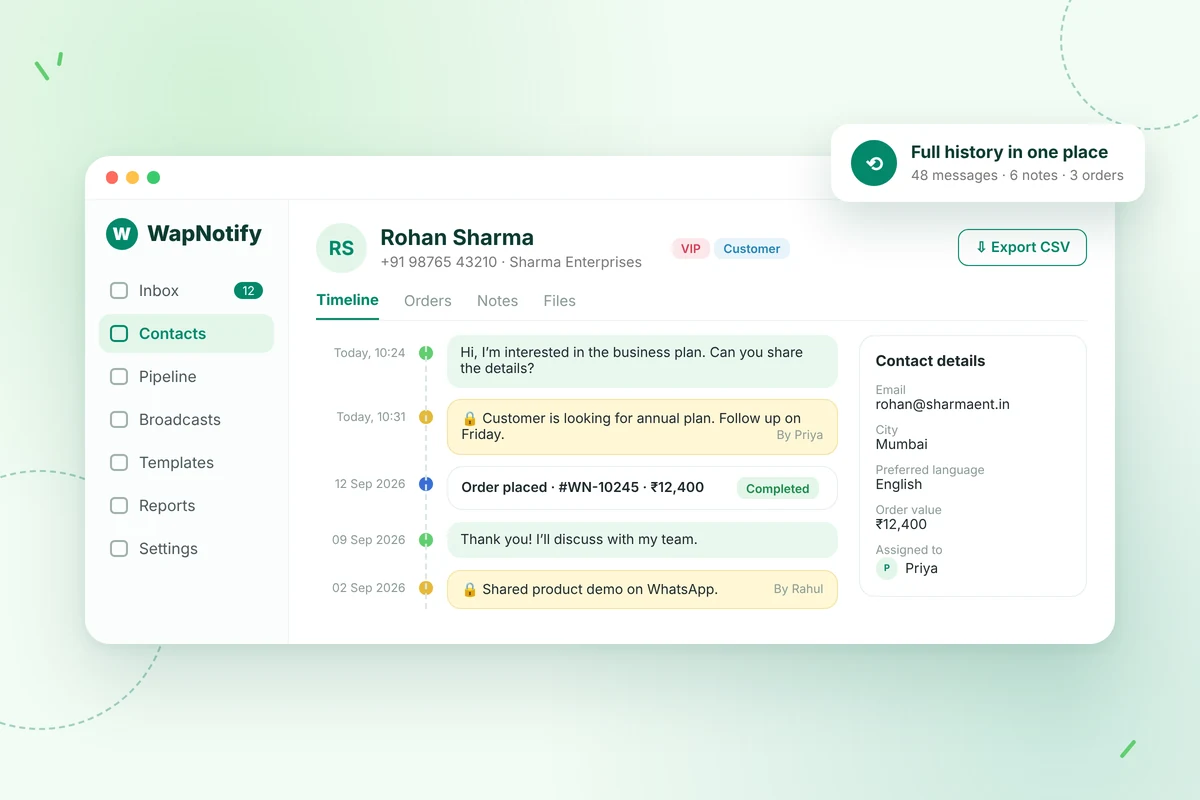
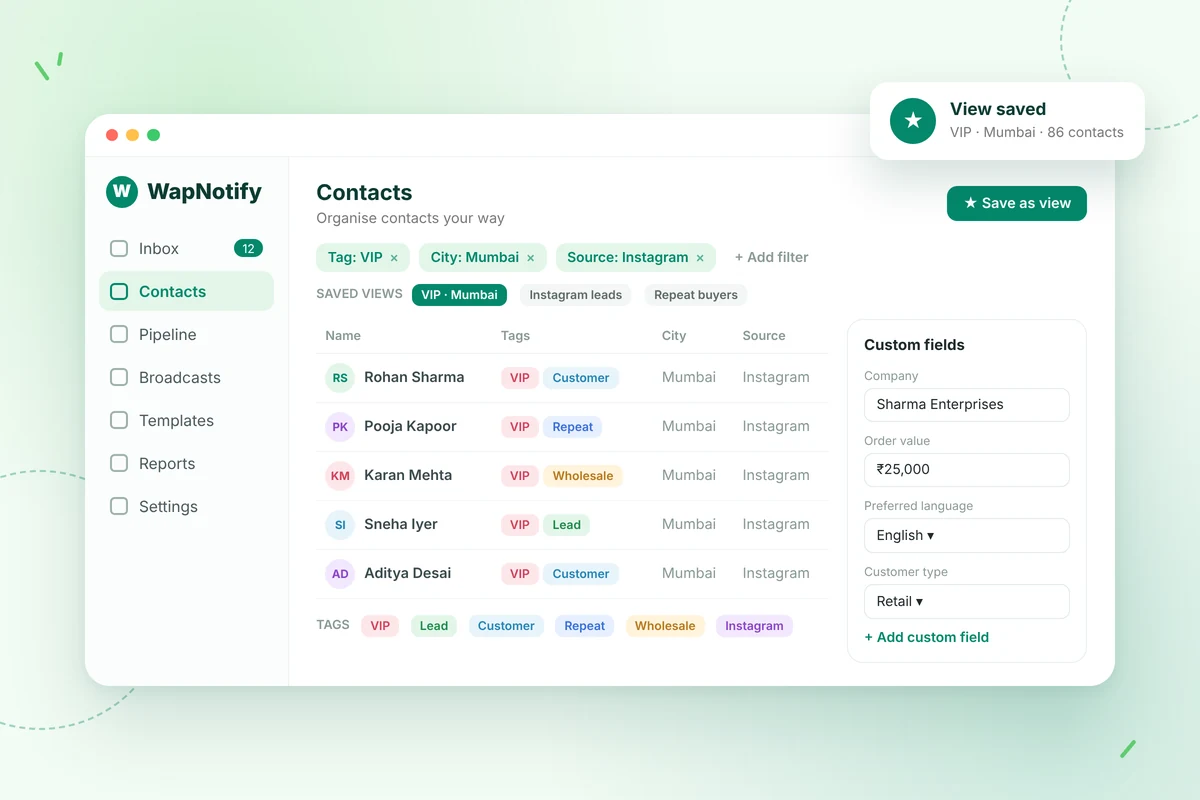
Tags & Custom Fields
Group contacts with colour-coded tags and find the right people quickly with smart filters. Save the filters you use often as views.
Add custom fields to store the details that matter to your business.
Key capabilities
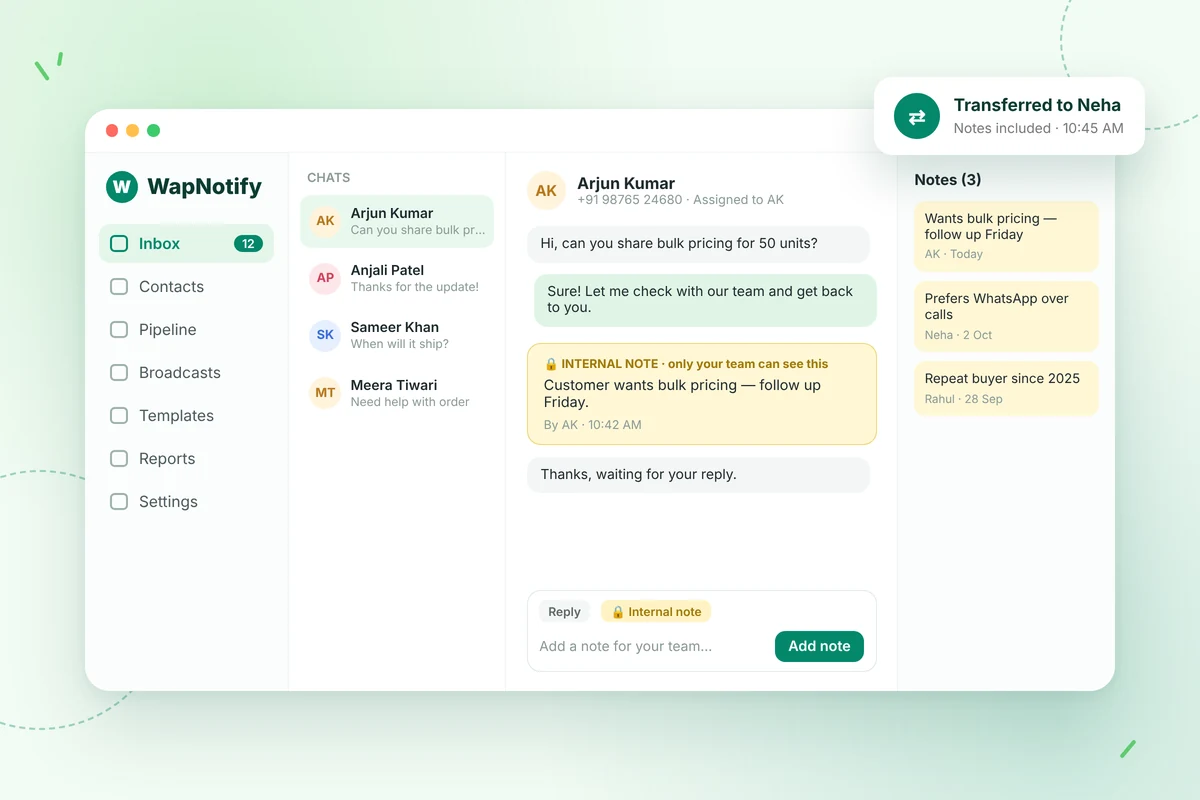
Internal Notes
Add private notes to a conversation for your team. When a chat is handed from one agent to another, the context goes with it.
Key capabilities
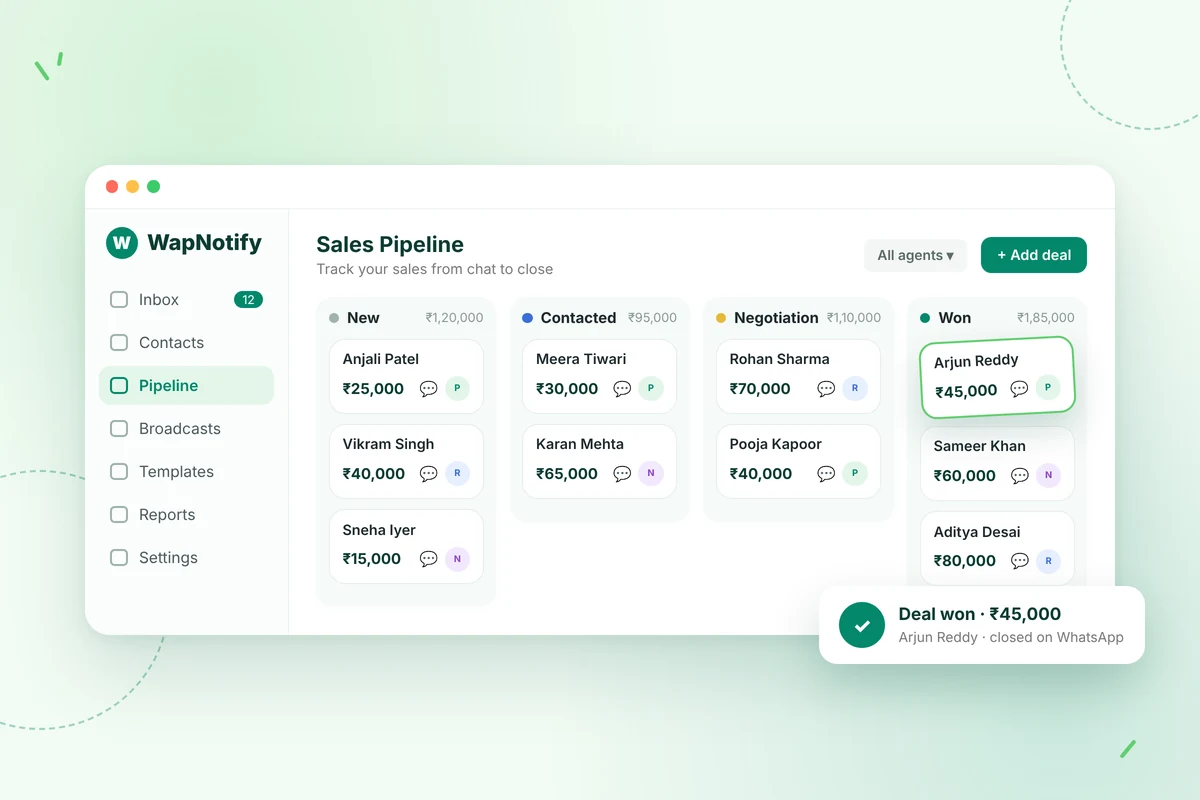
Sales Pipeline
Keep track of where each sale stands without leaving WapNotify, so your team can follow up on deals that come in through WhatsApp.
Key capabilities
Team Performance
Managers can monitor team conversations and download reports. Set visibility by role so each person sees what they should, and keep a full log of every action.
Agencies can run separate client workspaces from one login.
Key capabilities
Step 1
Guided Meta Business Manager setup. Meta approval usually takes 24–48 hours.
Step 2
Upload by CSV or sync, then tag and segment.
Step 3
Assign chats to your team, follow up, and close deals.
Handle customer chats in a shared inbox and organise buyers with tags and segments.
View industry →
Manage broker and channel-partner conversations from one inbox, and re-engage cold leads.
View industry →
Keep admission enquiries and parent–teacher communication in one place.
View industry →
Follow up on stalled deals and manage enterprise accounts over WhatsApp.
View industry →
Run separate client workspaces from one login, with workspace isolation.
It turns your WhatsApp Business number into a shared CRM for your team. You can manage conversations, assign chats, keep customer history and notes, and organise contacts — all in one dashboard, built on the official Meta WhatsApp Business API.
Yes. The shared team inbox lets your team reply from one number. The Starter plan includes 1 owner and 5 team members, and you can add more for ₹500 / $7 per member per month.
You can assign chats to individual agents or to teams, or distribute them automatically by round-robin or by rules. Chats can also be transferred between agents.
No. Internal notes are private to your team and are used to keep context when a chat is handed over.
Yes. Import contacts by CSV, then tag and segment them.
Yes. Starter and higher plans include unlimited custom fields.
Visibility follows a multi-level role hierarchy based on your org chart, and a peer privacy toggle keeps chats private by default.
You can send free-form replies within 24 hours of a customer’s last message. After that, you need an approved template. WapNotify shows a live countdown and switches to template mode automatically.
You need a number for the API. It can be an existing number, as long as it hasn’t been used on the regular WhatsApp Business app in the last 30 days, or a new one. WapNotify guides you through the Meta setup.
Yes. Contacts, conversations and templates can be exported as CSV at any time, even after cancelling.
A closer look at the shared inbox, assignment and the 24-hour window timer.
Explore →
Send broadcast campaigns with pre-approved templates and track delivery and reads.
Explore →
Automation flows to handle routine messages.
Explore →
Manage your catalog, orders, invoices and stock.
Explore →
API access for teams building on WapNotify.
Explore →