
- FOR AGENCIES AND CONSULTANCIES
WhatsApp CRM for Agencies
Manage multiple clients, workspaces and WhatsApp campaigns.
- 14-day free trial
- Setup in under 10 minutes
- Direct Meta Cloud API partner

Agencies
Client workspaces
Broadcasts
Templates
Lead capture
Reports
Team access
Agencies
Client workspaces
Broadcasts
Templates
Lead capture
Reports
Team access
Built for agencies and consultants
Each client needs its own WhatsApp number, team and campaigns. WapNotify gives every client a separate workspace, so you can switch between them in one click and keep their chats and campaigns apart.
– Official Meta WhatsApp Business API partner
Features Built for Agencies
Everything you need to run WhatsApp for every client.
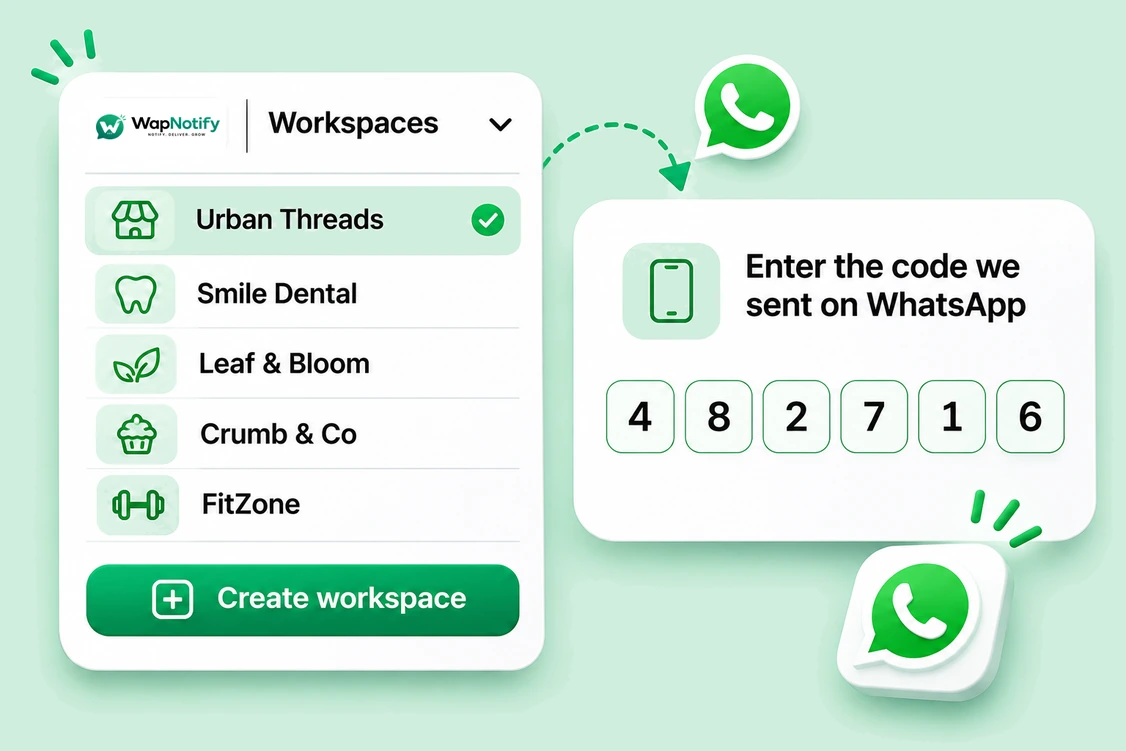
A workspace for every client
Create a separate workspace for each client and switch between them in one click. Each keeps its own chats, contacts and campaigns.
- Up to 5 workspaces created per person
- A workspace switcher for quick changes
- Create a workspace with a WhatsApp code check
- Separate contacts and chats per client
- Invite members to each workspace (Starter+)
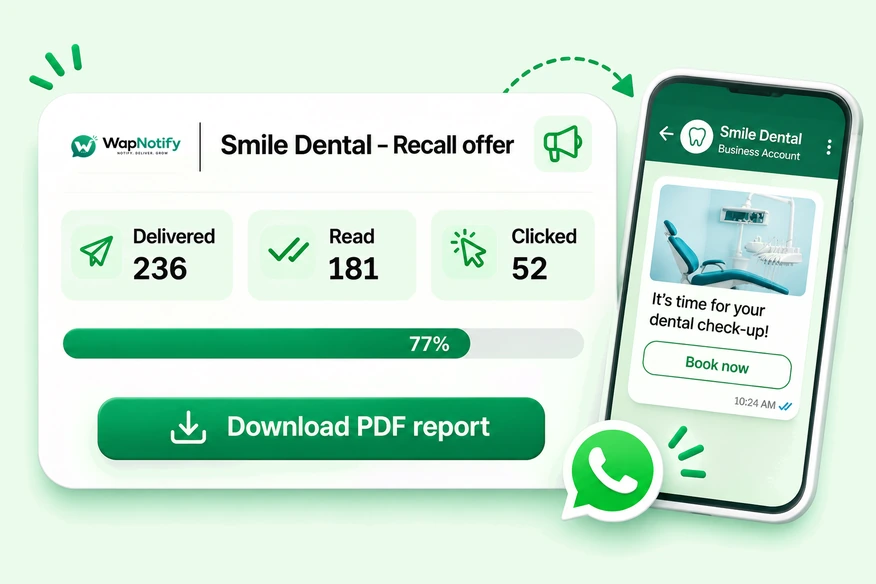
Campaigns your clients can see working
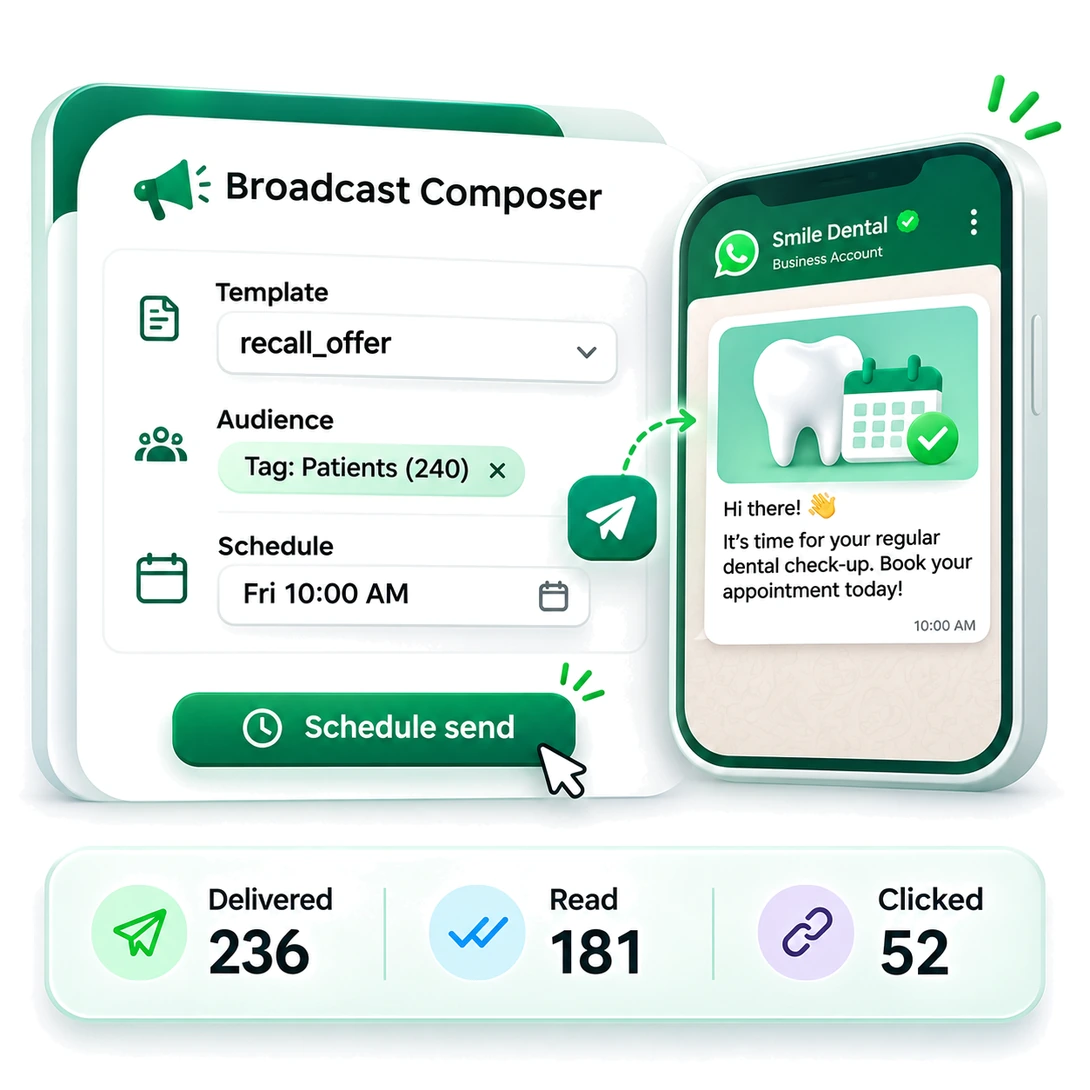
Create Meta-approved templates, send broadcasts to a client’s list, schedule them and track delivered, read and clicked.
- Create and submit templates inside WapNotify
- Send to a list, a tag or everyone
- Schedule for the right time
- Delivered, read and clicked status
- A PDF report for each broadcast
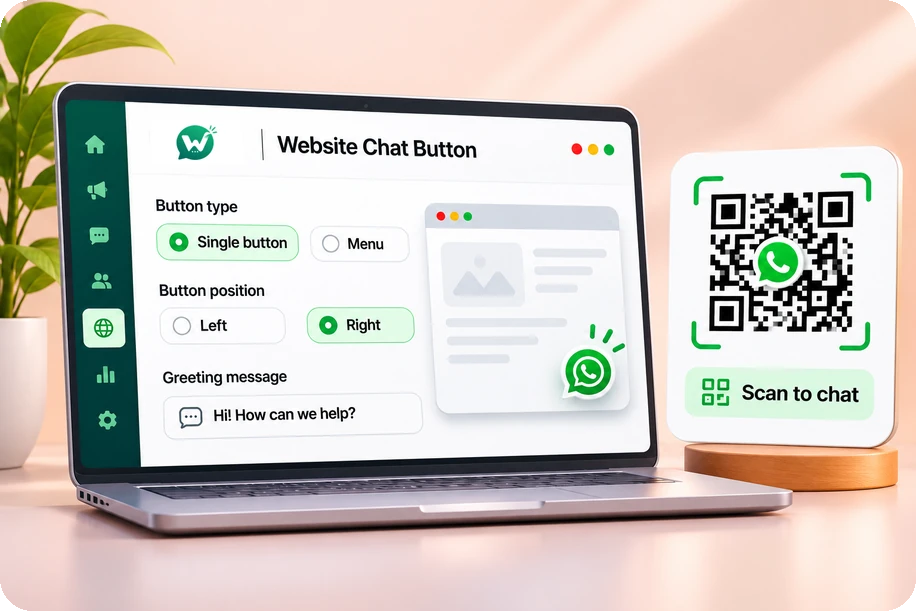
Capture leads for every client
Add QR codes, chat links and a website chat button for each client, and collect details with forms.
- QR codes and chat links to download
- Website chat button with your colours
- Forms for names and requirements
- Tag new leads automatically
- Responses exported as CSV
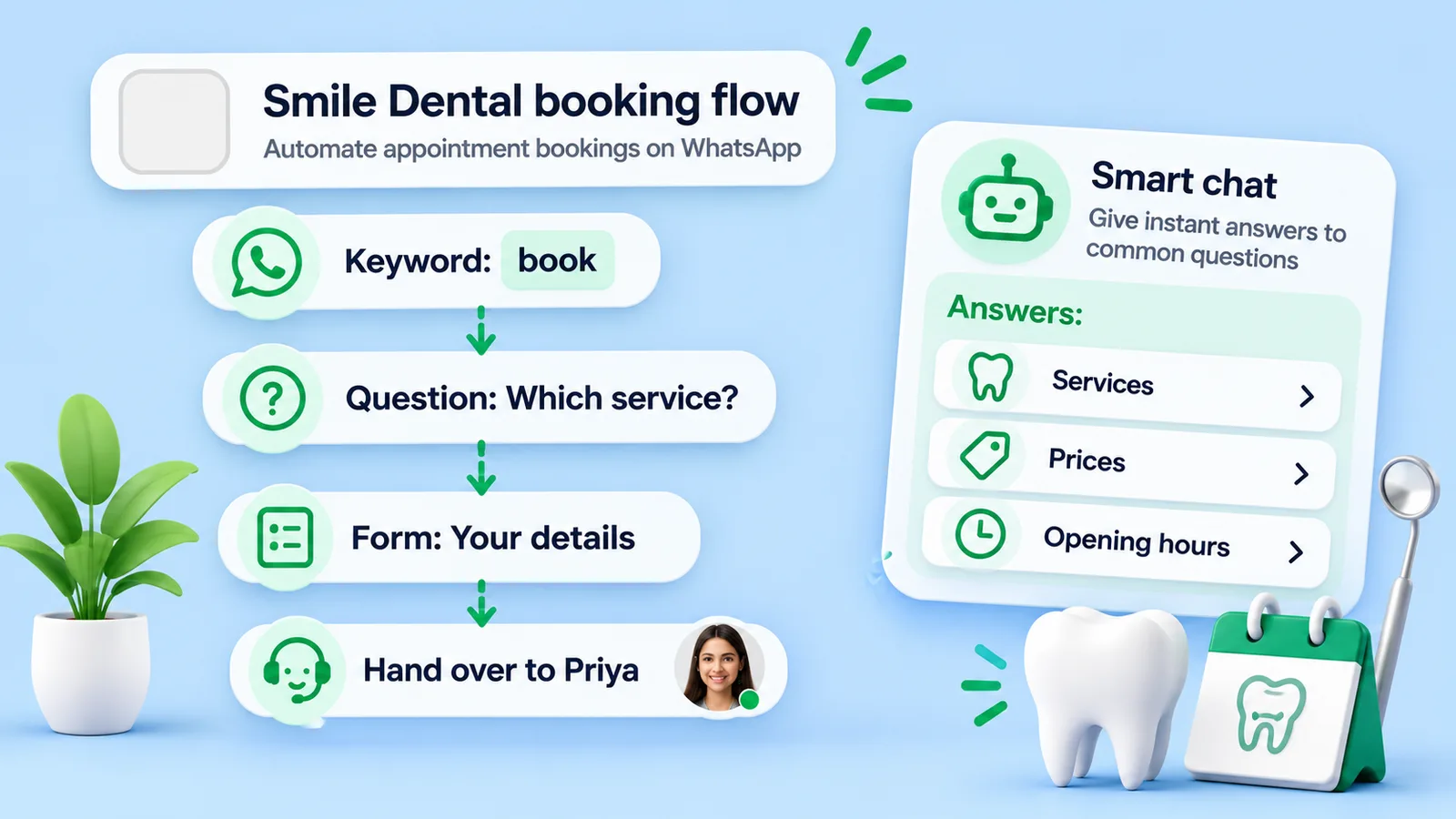
Chatbots and answers per client
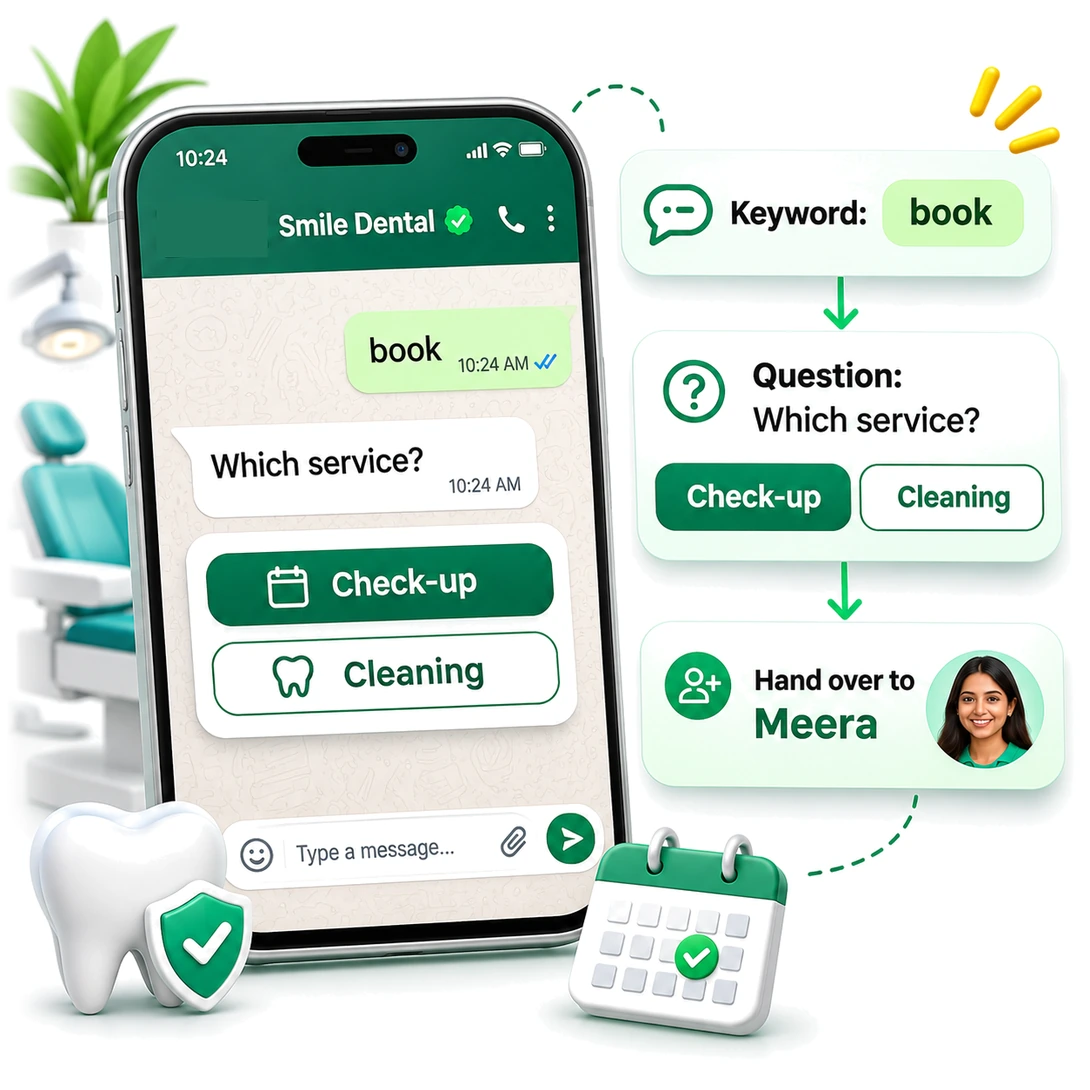
Build a flow for each client and let Smart chat answer their FAQs, with a hand-over to the client’s team.
- Visual flow builder, no code
- Keyword and first-message triggers
- Smart chat from each client’s FAQ
- Playground to test before going live
- Hand over to a named teammate
Why Agencies Run Client Campaigns on WhatsApp
Your clients’ customers already use WhatsApp every day. Here is how it compares with other ways of reaching them.
- Best Channel
Separate space per client
Send to a client’s list at once
Delivered and read status
Approved templates for each send
Whole team in one inbox
Report for each campaign
Separate space per client
No
Send to a client’s list at once
No
Delivered and read status
No
Approved templates for each send
No
Whole team in one inbox
No
Report for each campaign
No
Separate space per client
Partly
Send to a client’s list at once
Yes
Delivered and read status
Partly
Approved templates for each send
No
Whole team in one inbox
Partly
Report for each campaign
Partly
Separate space per client
No
Send to a client’s list at once
Yes
Delivered and read status
Partly
Approved templates for each send
No
Whole team in one inbox
No
Report for each campaign
Partly
Compare how each channel handles what agencies do for clients. WapNotify adds workspaces, templates, reports and a team inbox on top of WhatsApp.
WhatsApp Agency Use Cases - From First Client to Repeat Campaigns
From setting up a client to reporting on campaigns, WapNotify covers each step agencies go through.
- CLIENT WORKSPACES
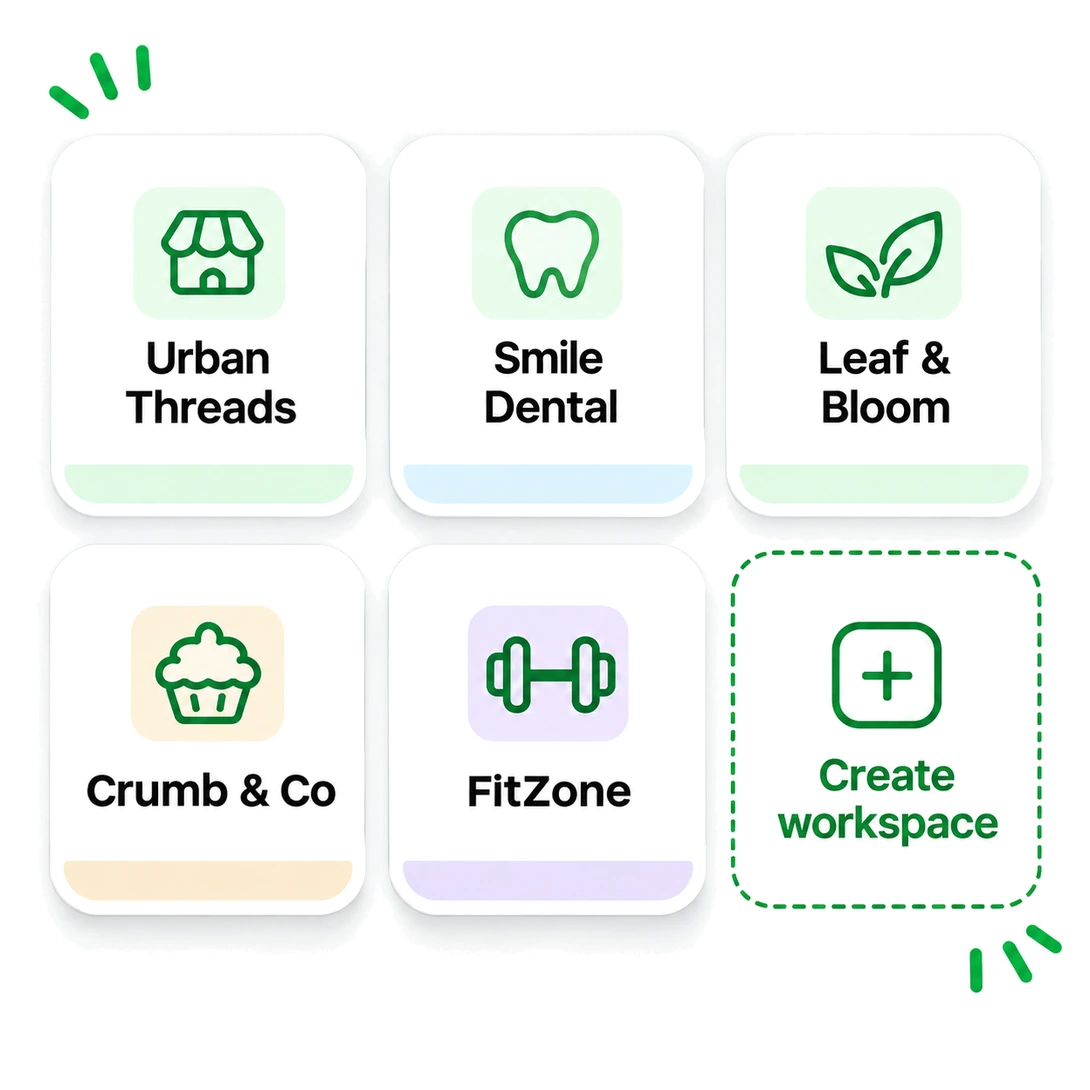
Give every client their own workspace
Each client has a separate workspace with its own number, chats, contacts and campaigns, so nothing gets mixed up.
- Up to 5 workspaces created per person
- Separate contacts and chats per client
- Create a workspace with a WhatsApp code check
- Join client workspaces by invitation
- Guest members can be assigned chats
- Workspaces are available on every plan
- QUICK SWITCHING
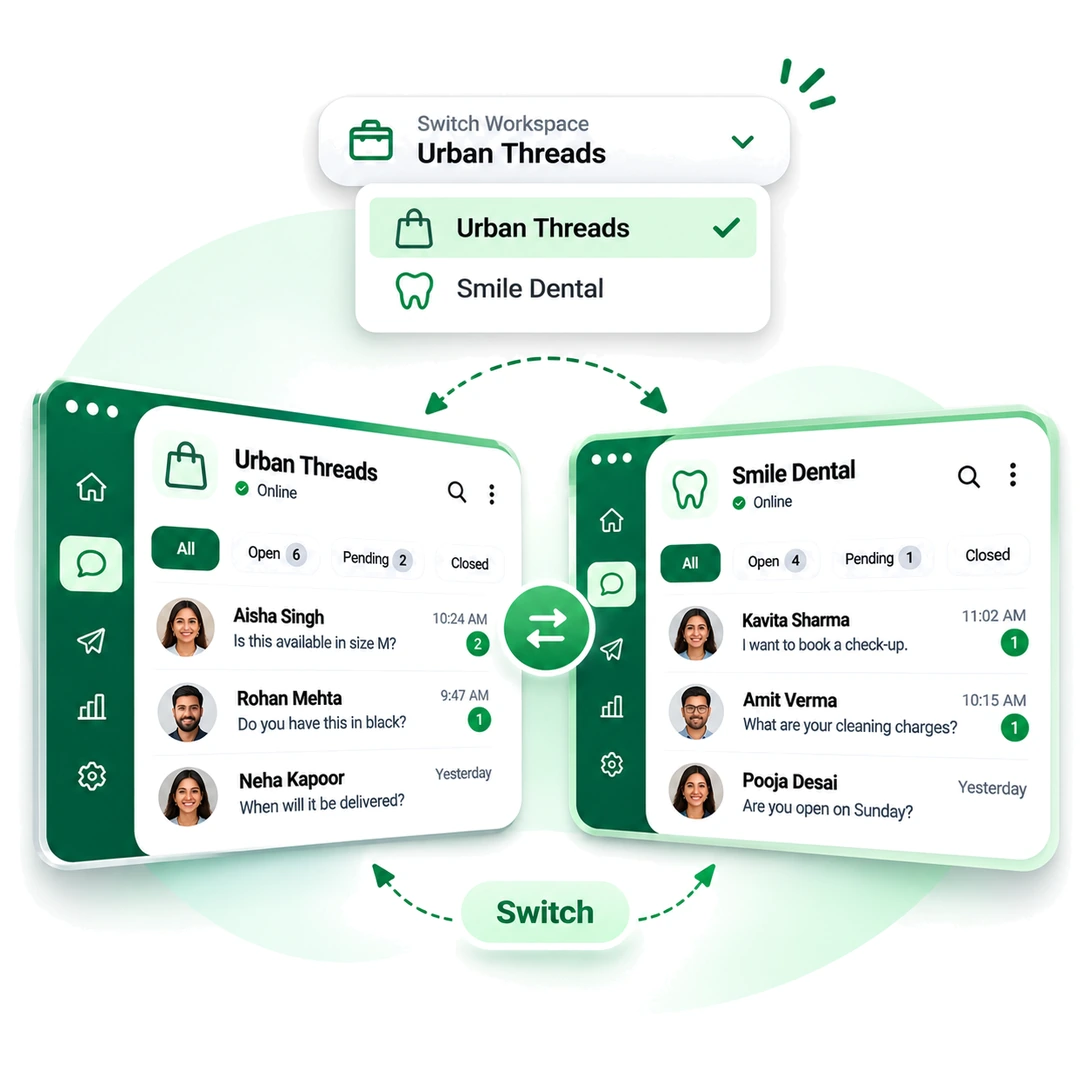
Switch between clients in one click
Use the workspace switcher to move between clients without logging in and out.
- A workspace switcher
- Each workspace keeps its own settings
- See only the client you are working on
- Invite teammates to the right clients
- Create new workspaces any time
Workspaces are available on every plan
- TEAM ACCESS
Control who sees which client
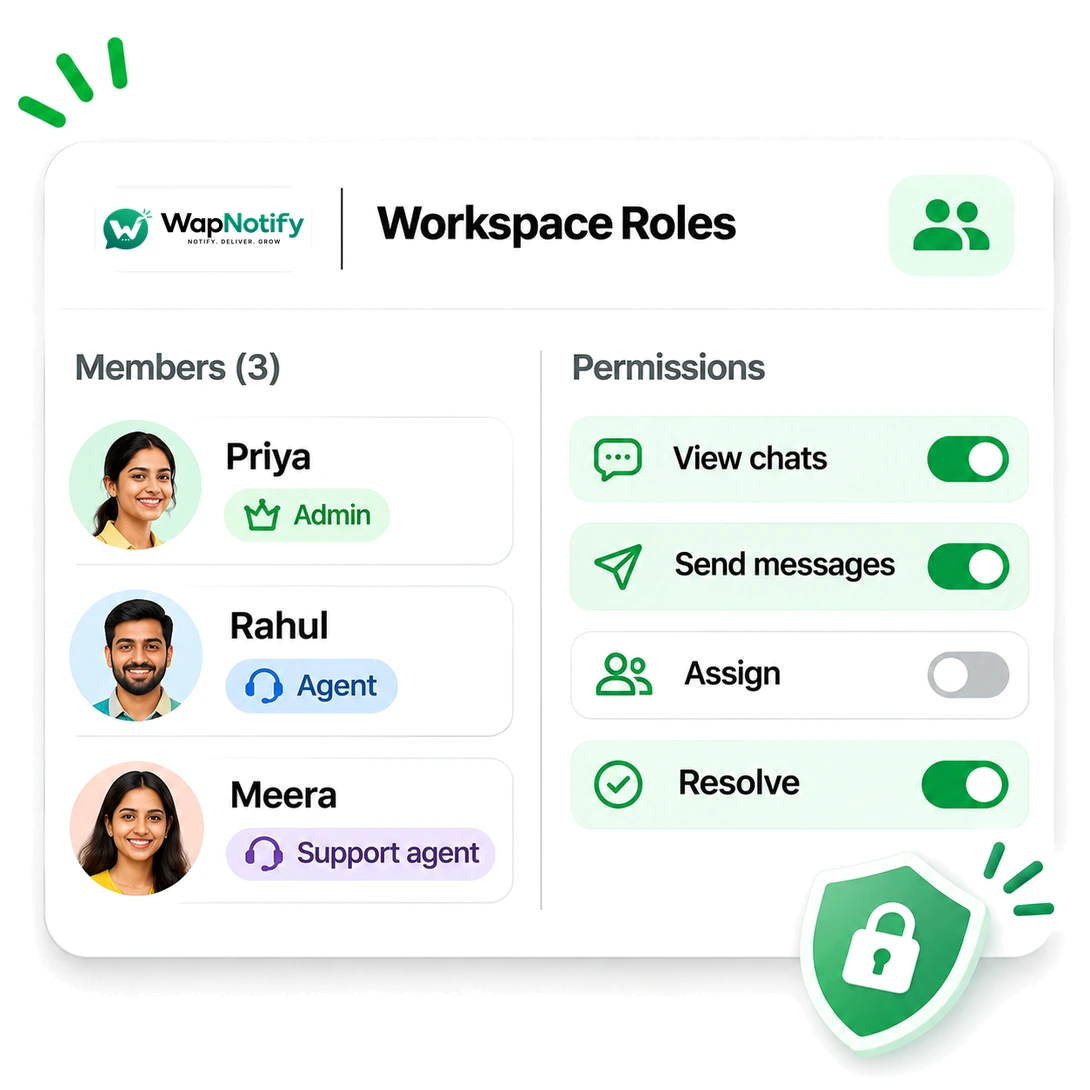
Invite your team to each workspace and give each person a role, so people only see what they should.
- Invite members to each workspace
- Admin and Agent roles built in
- Custom roles with per-module permissions
- Assign chats to named teammates
- Team performance per member
- Inviting members and custom roles are on the Starter plan and above
Create and approve templates in one place
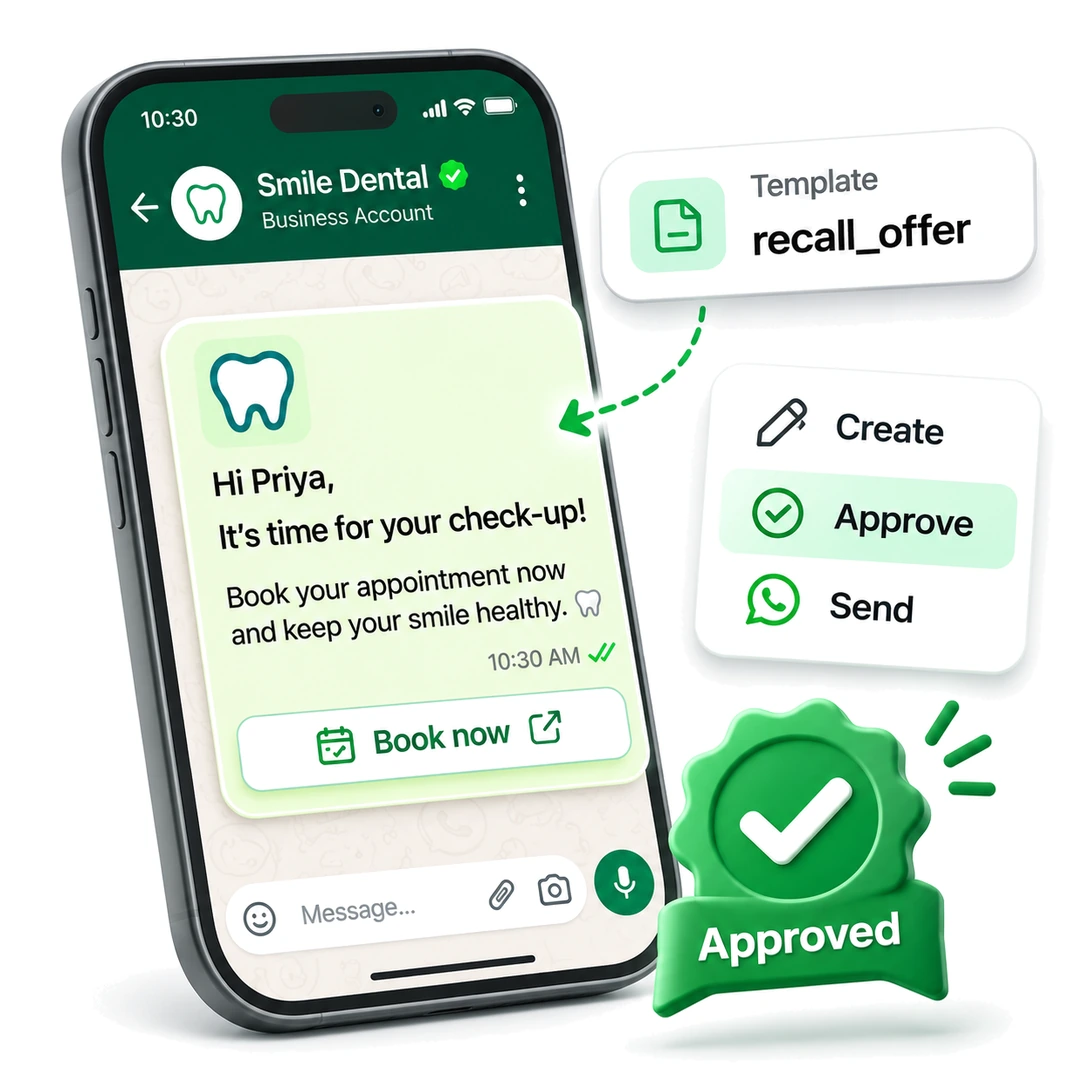
Write templates inside WapNotify, submit them for Meta approval and reuse them in every campaign.
- Create templates inside WapNotify
- Submit for Meta approval
- Use approved templates in broadcasts
- Header images and buttons
- Carousel templates for several products
Template creation is on the Starter plan and above
Run broadcast campaigns for each client
Send offers and updates to a client’s list or tag, schedule them and see who read and clicked.
- Send to a list, a tag or everyone
- Schedule for the right time
- Delivered, read and clicked status
- A PDF report for each broadcast
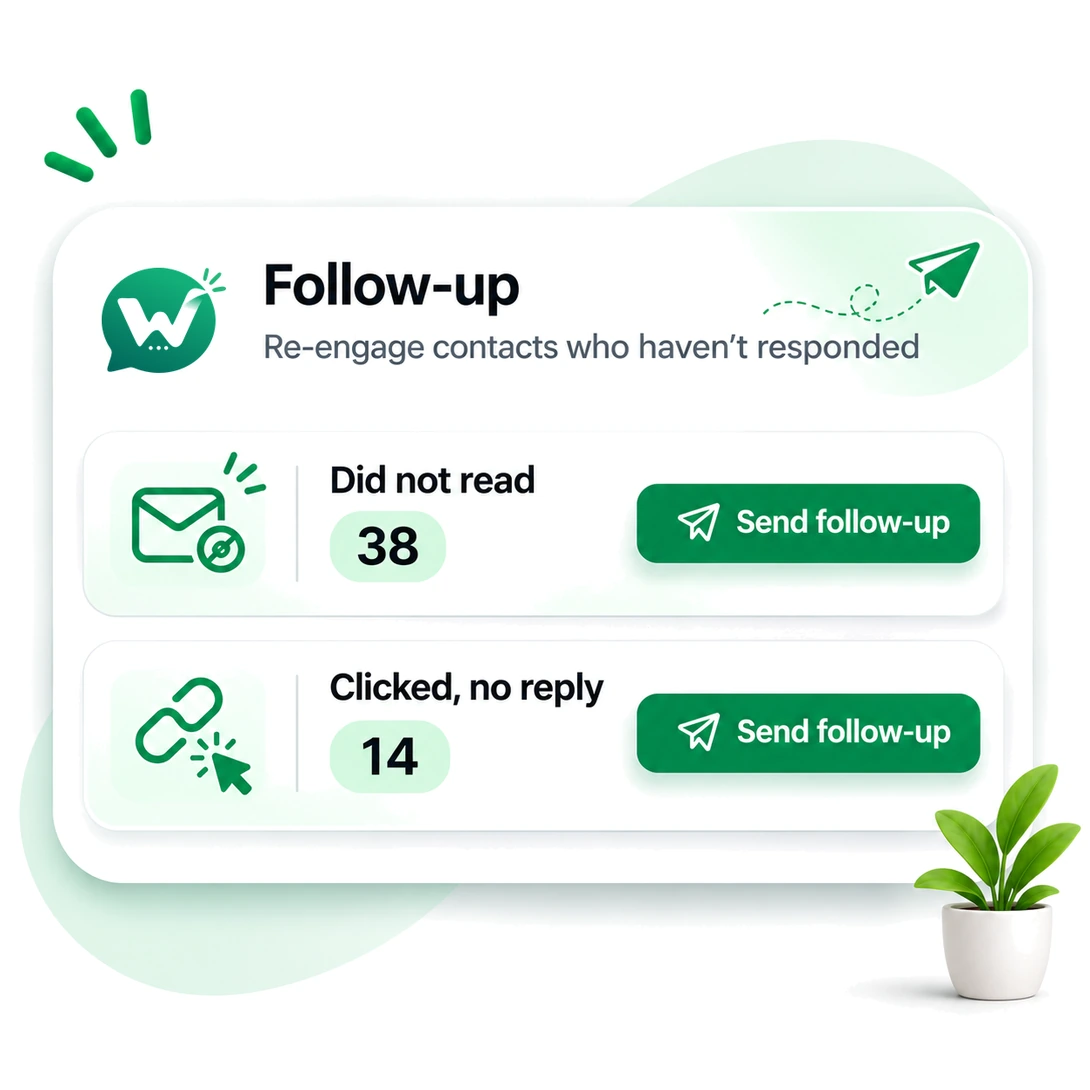
- Follow up with people who did not read
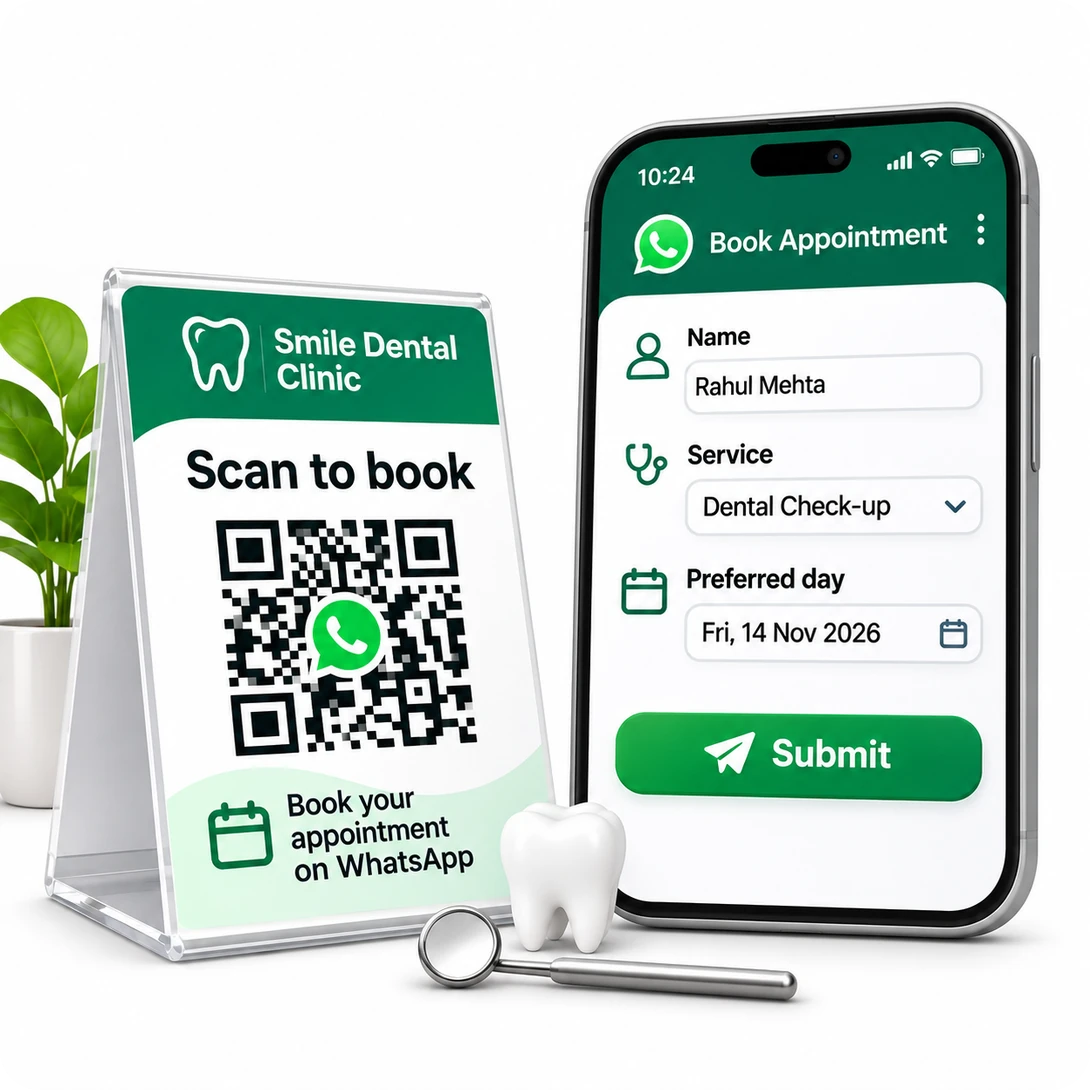
Capture leads for every client
Put a QR code, a chat link or a website chat button on the client’s site and materials, and collect details with a form.
- QR codes and chat links to download
- Website chat button with colours and greeting
- Forms for names and requirements
- Tag new leads automatically
- Responses exported as CSV
- CHATBOT FLOWS
Build a chatbot flow for each client
Use the visual flow builder to answer questions, ask for details and hand over to the client’s team.
- Keyword and first-message triggers
- Buttons, lists and open questions
- Conditions, waits and tags
- Hand over to a named teammate
- Works day and night
Flows are on the Starter plan and above
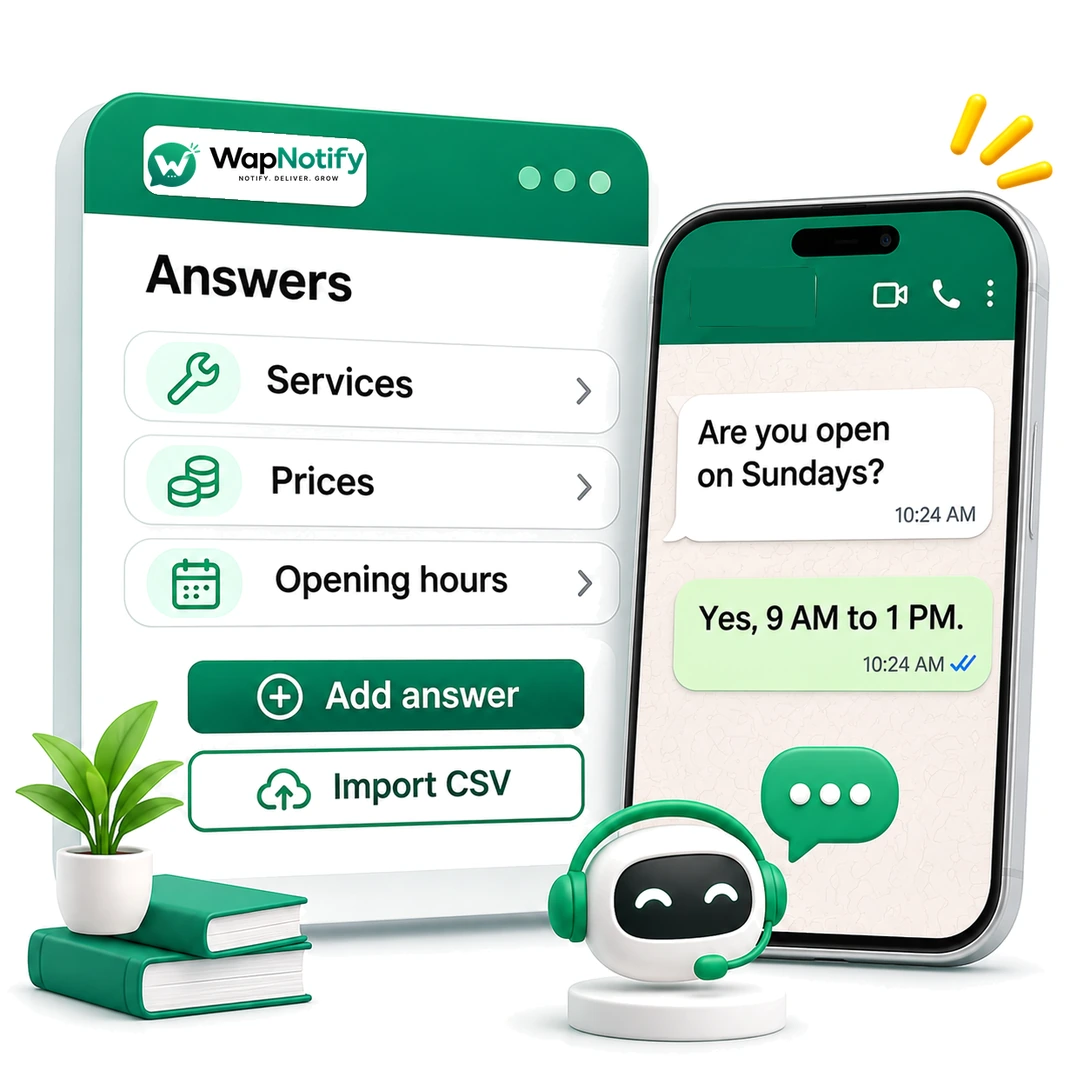
Answer client FAQs automatically
Write the client’s FAQ answers once and let Smart chat reply with them, or leave a draft for an agent to approve.
- FAQ and product answers, CSV import
- Send directly or keep drafts for approval
- Playground to test answers
- Needs an answer list and coverage stats
- Hand over when it is not sure
- SHARED INBOX
Give each client team a shared inbox
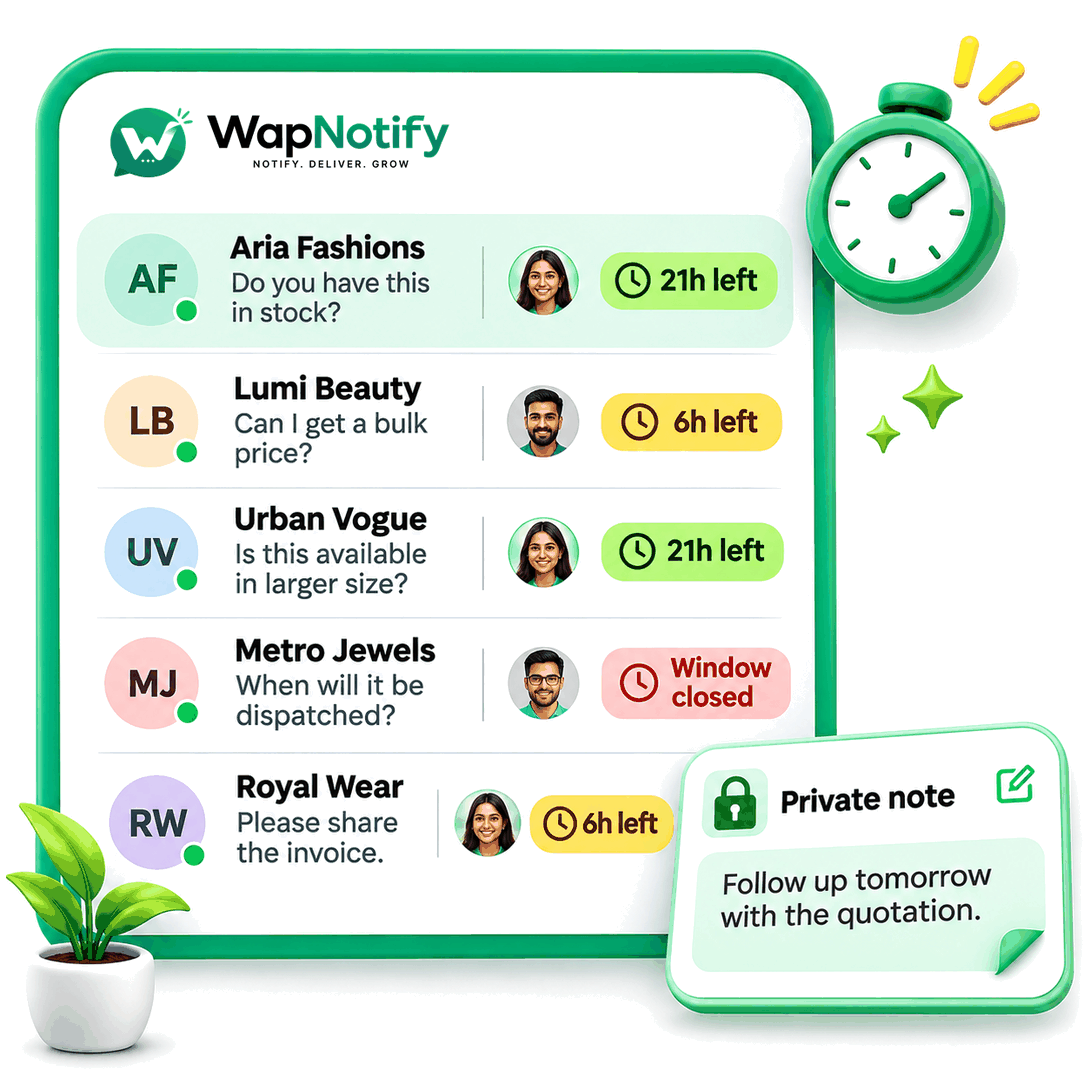
All of a client’s chats arrive in one inbox, assigned to the right person, with notes and saved replies.
- Assign chats to named teammates
- First reply claims a new chat
- Private notes only the team sees
- Saved replies with the / shortcut
- 24-hour timer on every chat
- FOLLOW-UPS
Follow up on every campaign
After a broadcast, message the people who did not read it, or who clicked but did not reply.
- Follow up by read, clicked or not read
- Send at the right time
- Use an approved template
- Track each follow-up
- Segment by response
- Webhooks & REST APIs - connect anything
Why Agencies Choose WapNotify
WapNotify is a direct Meta WhatsApp Business API partner. Meta bills conversation charges at its standard rates, and WapNotify adds no markup. You pay a flat monthly platform fee.
Separate chats, contacts and campaigns for each client, with a one-click switcher.
Create Meta-approved templates, send broadcasts and download a PDF report for each one.
Guided Meta Business Manager setup for each client. Meta approval usually takes 24–48 hours.
WapNotify vs Shared Logins and Manual Reports
| Feature | WapNotify | Shared logins and manual reports |
|---|---|---|
| Client separation | A workspace per client | Everything in one account |
| Team access | Invite members per workspace (Starter+) | Shared logins |
| Templates | Create and approve inside WapNotify | Managed outside the tool |
| Campaigns | Delivered, read and clicked status | Sent without tracking |
| Reports | A PDF report for each broadcast | Built by hand |
| Switching clients | One click in the workspace switcher | Log in and out |
| Client chats | A shared inbox per workspace | On your team’s phones |
Agencies
Up and running in 4 simple steps.


Sign Up Free
No card. 14-day full-feature trial.
Create a Client Workspace
Add a workspace for your first client with a WhatsApp code check.
Connect Their WhatsApp
We walk you through Meta Business Manager setup, step by step.
Send the First Campaign
Create a template, send it to a list and track the results.
14-day free trial. No credit card needed.
Frequently Asked Questions
How does WapNotify help agencies?
Each client gets its own workspace with its own WhatsApp number, chats, contacts and campaigns, and you switch between them in one click.
How many client workspaces can I create?
One person can create up to 5 workspaces, and can belong to more by invitation. Creating a workspace needs a WhatsApp code check.
Can client teams use their own workspace?
Yes. Invite members to each workspace and give each a role. Inviting members is on the Starter plan and above.
Can I create and submit templates for clients?
Yes. Create templates inside WapNotify and submit them for Meta approval. Template creation is on the Starter plan and above.
Can I run broadcast campaigns for a client?
Yes. Send an approved template to a list or tag, schedule it, and see delivered, read and clicked status, with a PDF report for each broadcast.
Can I add lead capture for a client?
Yes. Add a QR code, chat link or website chat button, and collect details with forms. These are on the Starter plan and above.
Can I build chatbots for a client?
Yes. Build flows in the visual editor and add Smart chat answers from the client’s FAQ, with a hand-over to the client’s team.
Does each client need its own WhatsApp number?
Yes. Each workspace connects one WhatsApp number, so each client uses their own number.
Who pays Meta’s conversation charges?
Meta bills conversation charges directly at its standard rates, with no markup from WapNotify. WapNotify charges a flat platform fee.
How long does setup take?
Setup for each client is guided through Meta Business Manager, and Meta approval usually takes 24–48 hours.
Stop juggling client accounts. Run every client from one place.
Give each client their own workspace, templates and campaigns, and switch between them in one click. Start your 14-day free trial today, no credit card needed.
✓ Official Meta WhatsApp Business API partner · ✓ 14-day free trial · ✓ No credit card