- FOR B2B SAAS TEAMS
WhatsApp CRM for B2B SaaS
Lead qualification, demo bookings, onboarding and customer success.
- 14-day free trial
- Setup in under 10 minutes
- Direct Meta Cloud API partner

B2B SaaS
Lead qualification
Demo bookings
Onboarding
Customer success
Product updates
Support
B2B SaaS
Lead qualification
Demo bookings
Onboarding
Customer success
Product updates
Support
Built for B2B SaaS teams
Buyers ask questions, request demos and need help getting started. WapNotify lets your team qualify leads, book demos, onboard customers and answer support from one shared WhatsApp inbox.
– Official Meta WhatsApp Business API partner
Features Built for B2B SaaS Teams
Everything your team needs to sell, onboard and support on WhatsApp.
Qualify leads in the chat
Ask about company size and needs with a form or flow, tag the answers and move leads through your pipeline with reminders.
- Forms with text, choice and dropdown fields
- Flows that ask questions and branch
- Tags for plan, size or interest
- Pipeline stages from New to Deal Done
- Reminders for each lead
Book demos without email tennis
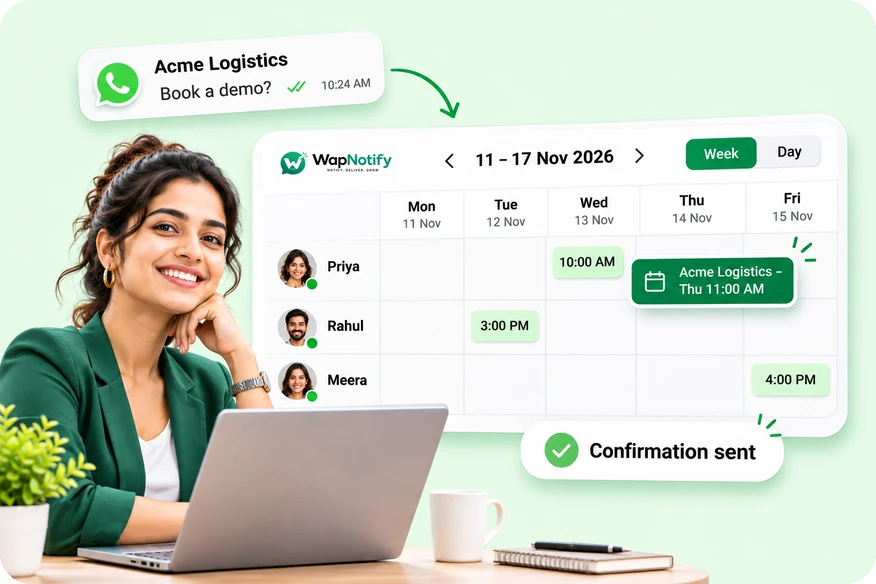
Let prospects pick a free slot with your team and get a confirmation with the date and time, all in WhatsApp. Business plan.
- Booking by free slots per team member
- Confirmation with date and time
- A keyword flow replies to demo requests
- Hand over to a named rep
- Share a PDF quotation after the demo
Onboard customers step by step
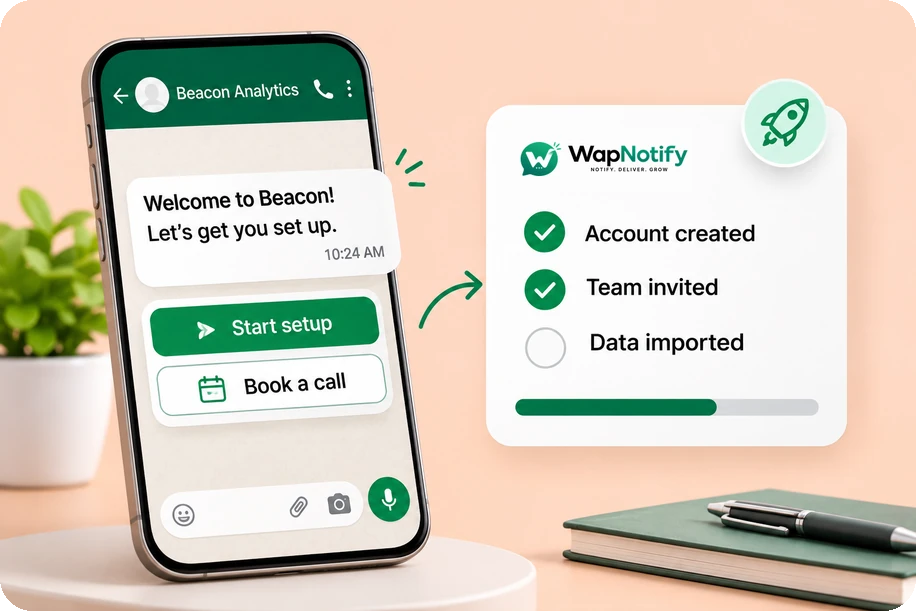
Send a welcome flow with setup questions and forms, share files and guides, and keep every onboarding chat in one inbox.
- Welcome flow started by a QR code or link
- Forms for setup details
- Send files and guides in the chat
- Tag customers by onboarding stage
- Assign each customer to a success manager
Support and success in one inbox
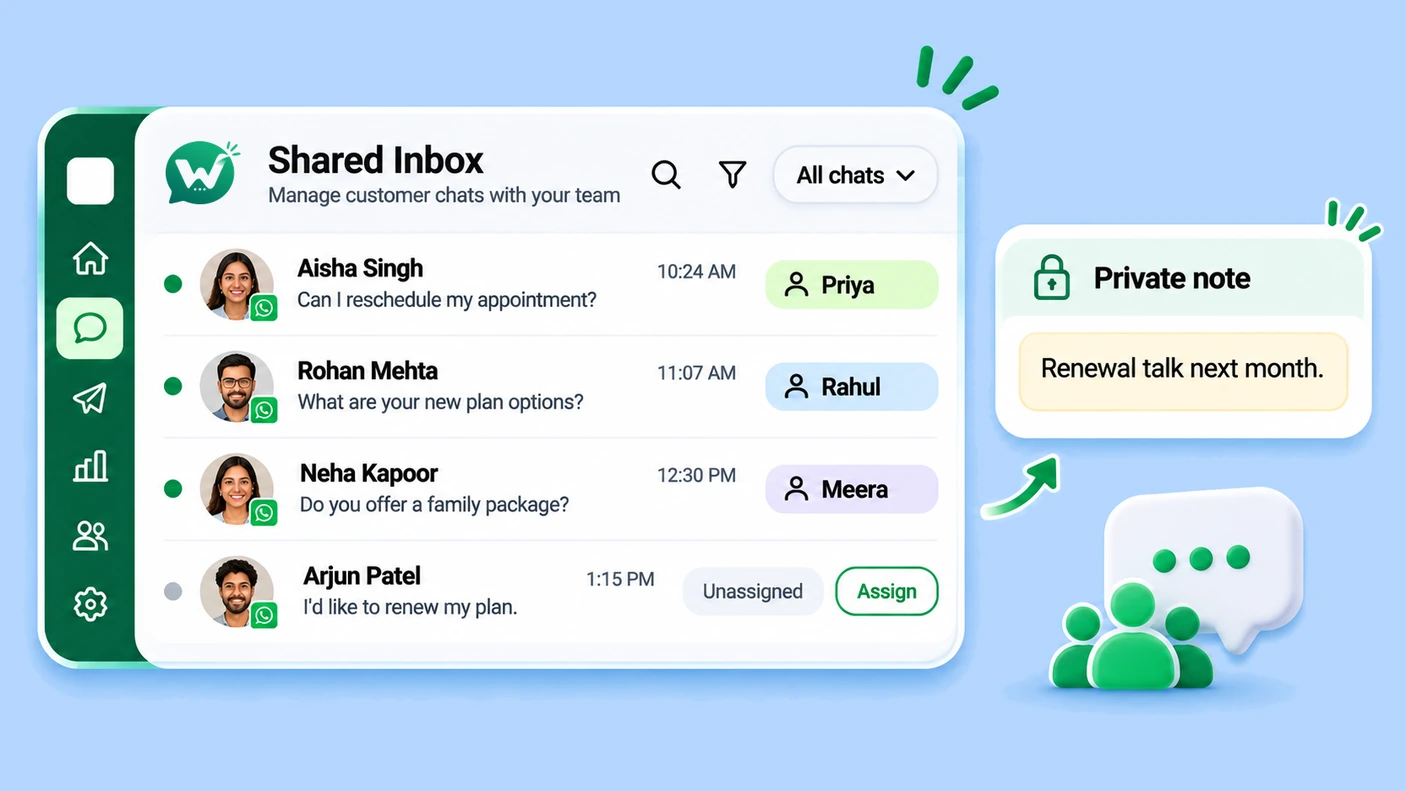
Answer from a shared inbox with assignment and notes, and let Smart chat reply to common questions from your own FAQ.
- Assign chats to named teammates
- Private notes for the team
- Saved replies with the / shortcut
- Smart chat answers from your FAQ
- Hand over to a person when unsure
Why B2B SaaS Teams Move Buyers to WhatsApp
Buyers already use WhatsApp every day. Here is how it compares with other ways of reaching them.
- Best Channel
Quick back-and-forth chat
Share a demo link or file
Delivered and read status
Send a proposal as a PDF
Whole team in one inbox
Chat history per contact
Quick back-and-forth chat
Yes
Share a demo link or file
No
Delivered and read status
No
Send a proposal as a PDF
No
Whole team in one inbox
No
Chat history per contact
No
Quick back-and-forth chat
No
Share a demo link or file
Yes
Delivered and read status
Partly
Send a proposal as a PDF
Yes
Whole team in one inbox
Partly
Chat history per contact
Partly
Quick back-and-forth chat
Partly
Share a demo link or file
Partly
Delivered and read status
Partly
Send a proposal as a PDF
No
Whole team in one inbox
No
Chat history per contact
Partly
Compare how each channel handles what SaaS teams do all day. WapNotify adds pipelines, bookings, forms and a team inbox on top of WhatsApp.
WhatsApp B2B SaaS Use Cases - From First Enquiry to Happy Customer
From the first enquiry to ongoing support, WapNotify covers every step your buyers and your team go through.
- LEAD QUALIFICATION
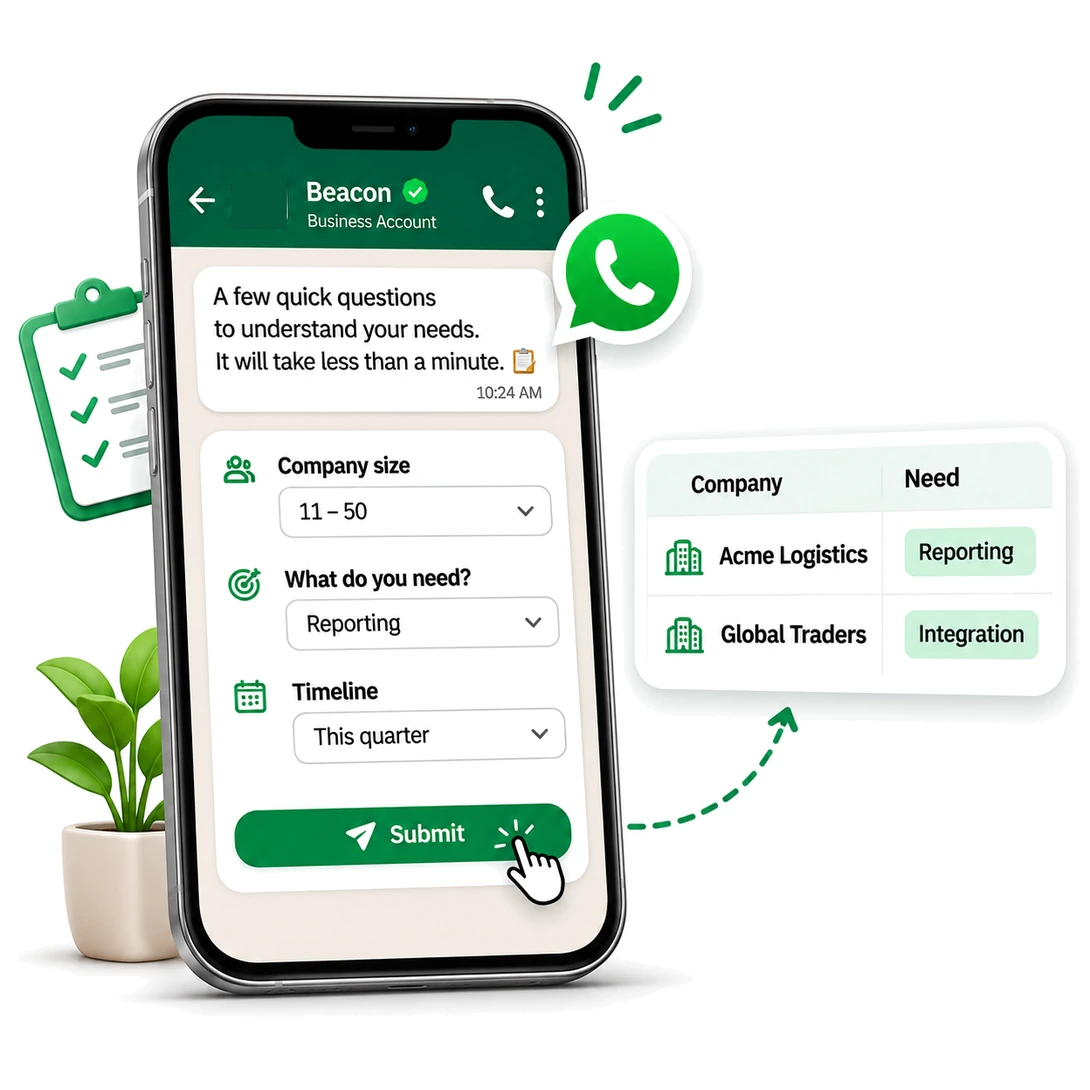
Qualify every lead with a few questions
Ask about company size, need and timeline in a form or flow, and tag the answers so your team knows who to call first.
- Forms with text, choice and dropdown fields
- Flows that branch on the answer
- Tags for size, plan or interest
- Responses saved and exported as CSV
- Assign hot leads to a rep
- Forms and flows are on the Starter plan and above
- DEMO REQUESTS
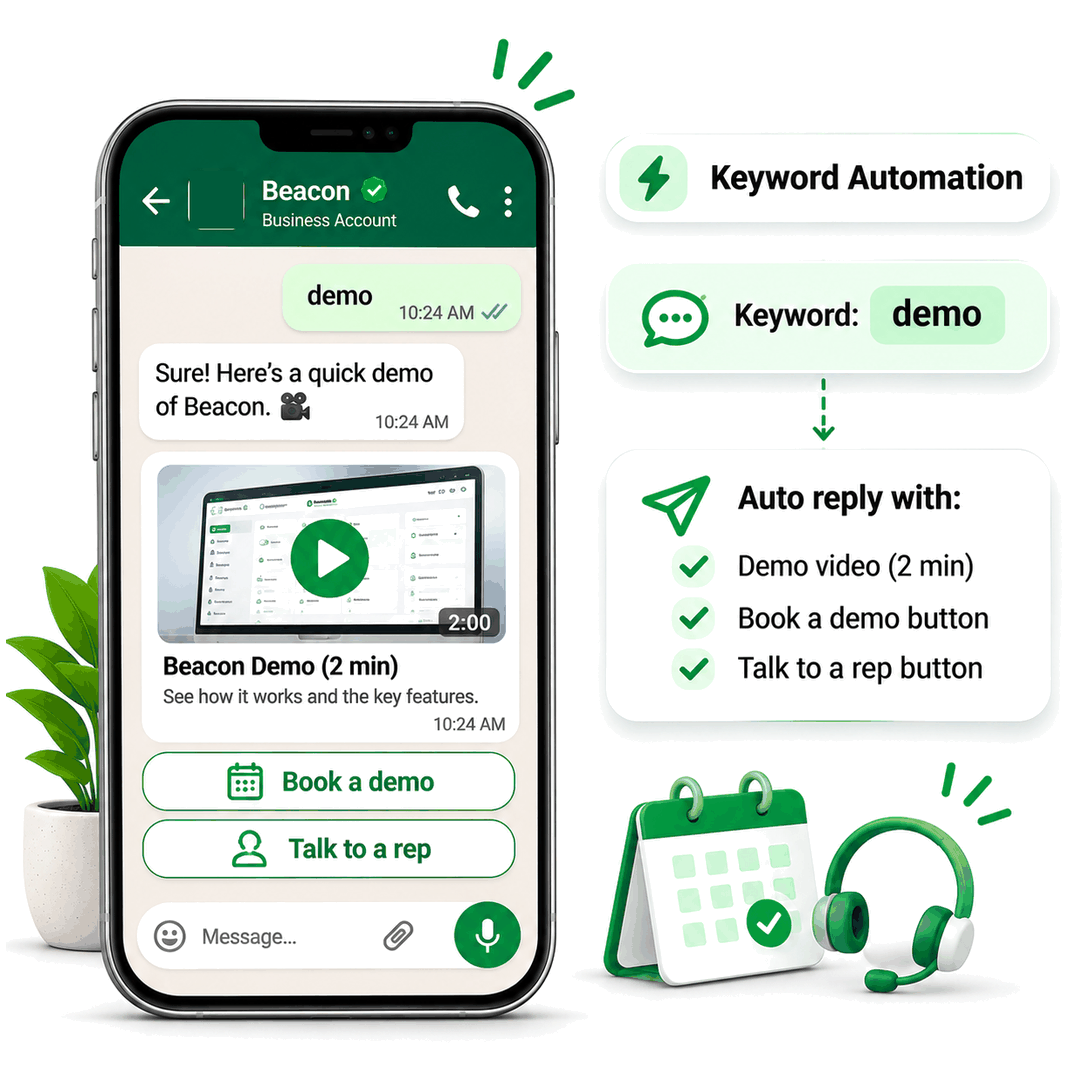
Reply to demo requests instantly
A keyword or a first message starts a flow that shares your demo link, asks a question or two and hands over to a rep.
- Keyword and first-message triggers
- Send your demo link or a video
- Ask who they are and what they need
- Hand over to a named rep
- Works day and night
Flows are on the Starter plan and above
- DEMO BOOKING
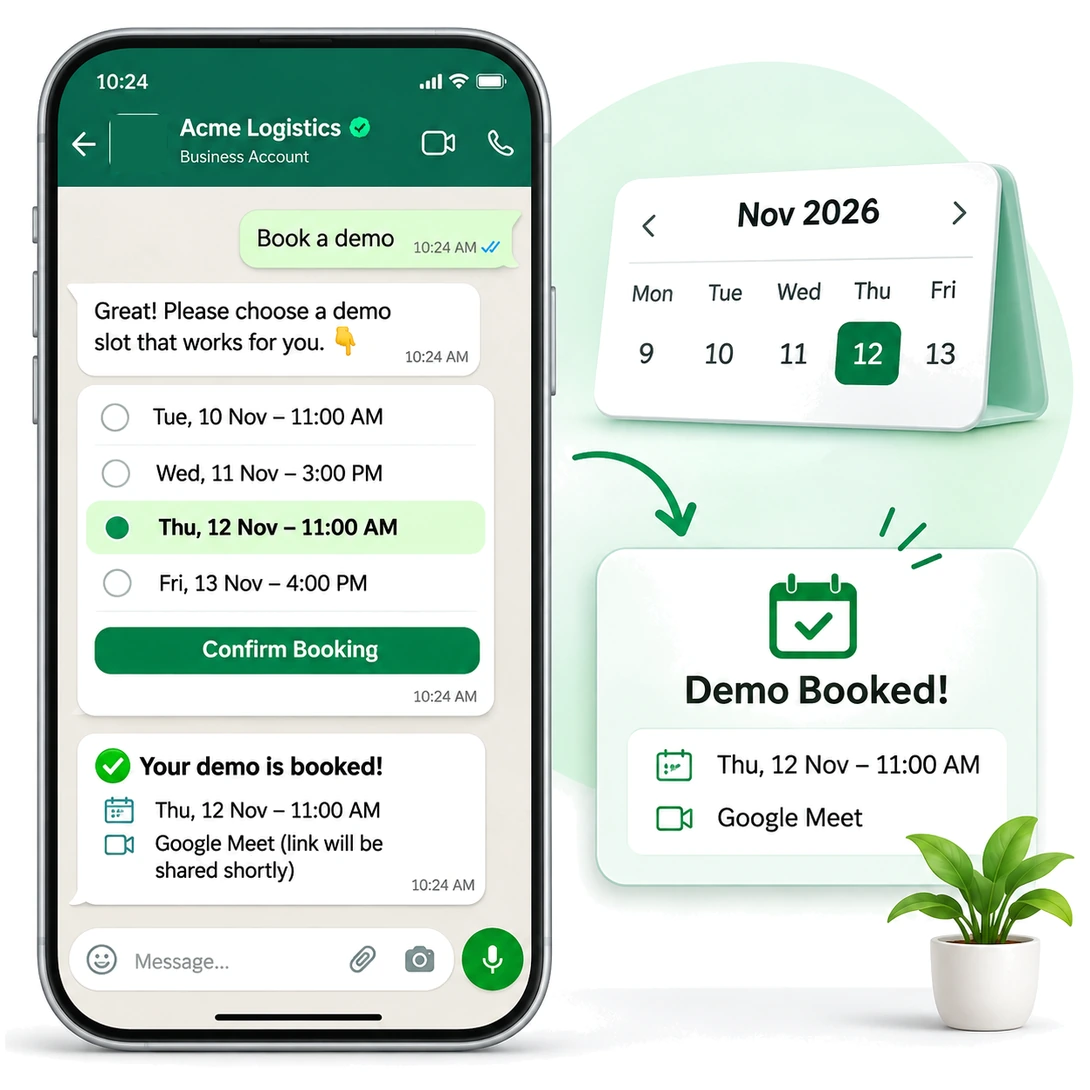
Book demos inside the chat
Prospects pick a free slot with a team member and get a confirmation with the date and time.
- Booking by free slots per team member
- Confirmation with date and time
- Start booking from a flow
- Working hours and slot length you set
- Share a PDF quotation after the demo
- Appointment booking is on the Business plan
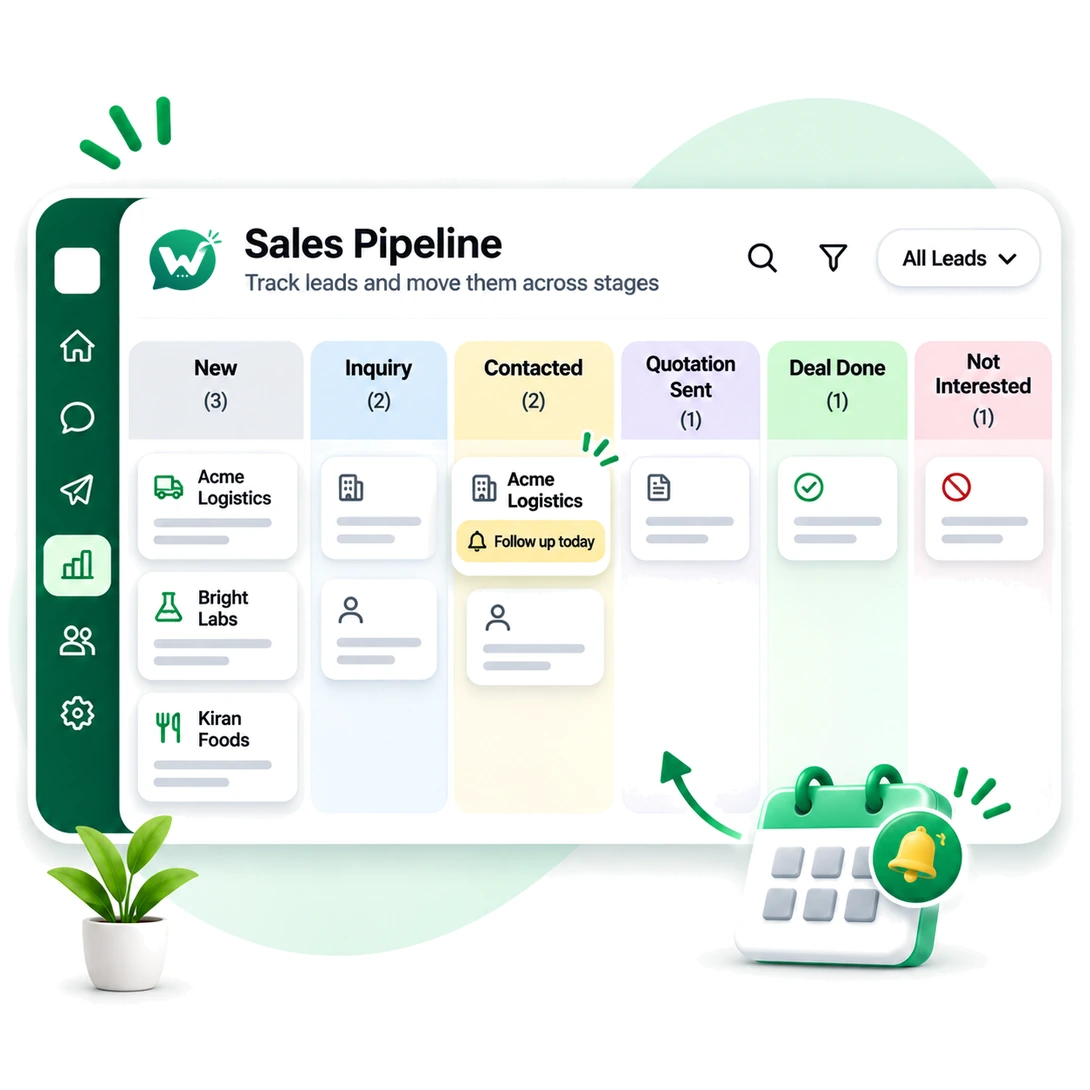
See every deal in one pipeline
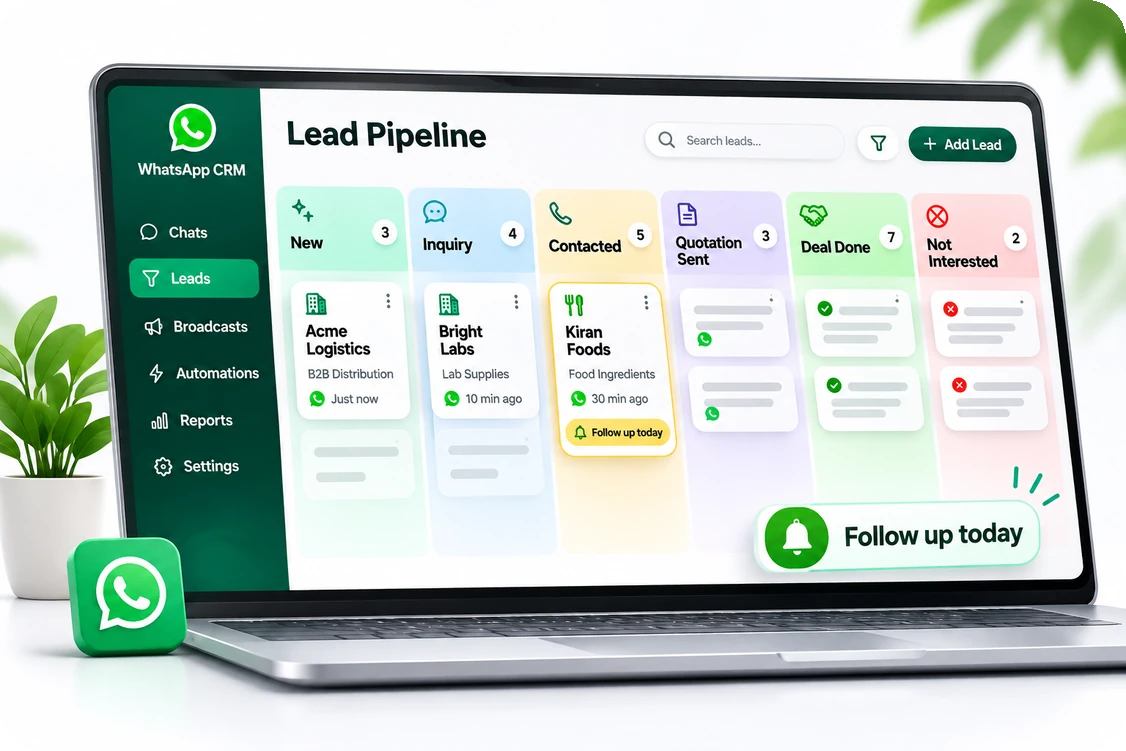
Track each lead from New to Deal Done, add reminders and see which leads need a follow-up today.
- Pipeline stages from New to Deal Done
- Reminders for each lead
- Notes saved on the lead
- Funnel summary per stage
- Every chat kept on the record
The Leads pipeline is on the Business plan
Onboard new customers step by step
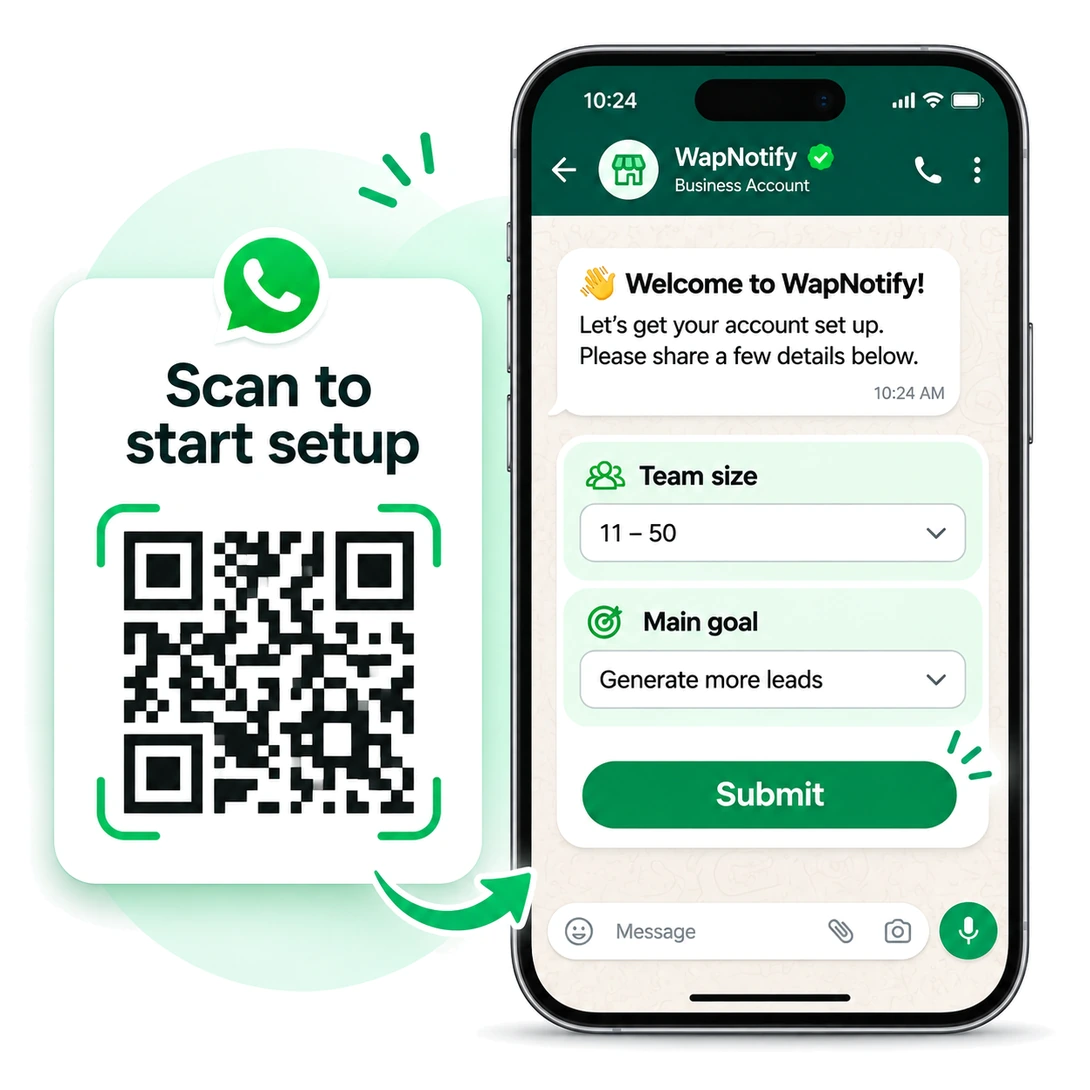
Start a welcome flow from a QR code, a link or a keyword, ask setup questions with a form and share your guides.
- QR codes and chat links to download
- A welcome flow starts the chat
- Forms for setup details
- Send files and guides in the chat
- Tag customers by onboarding stage
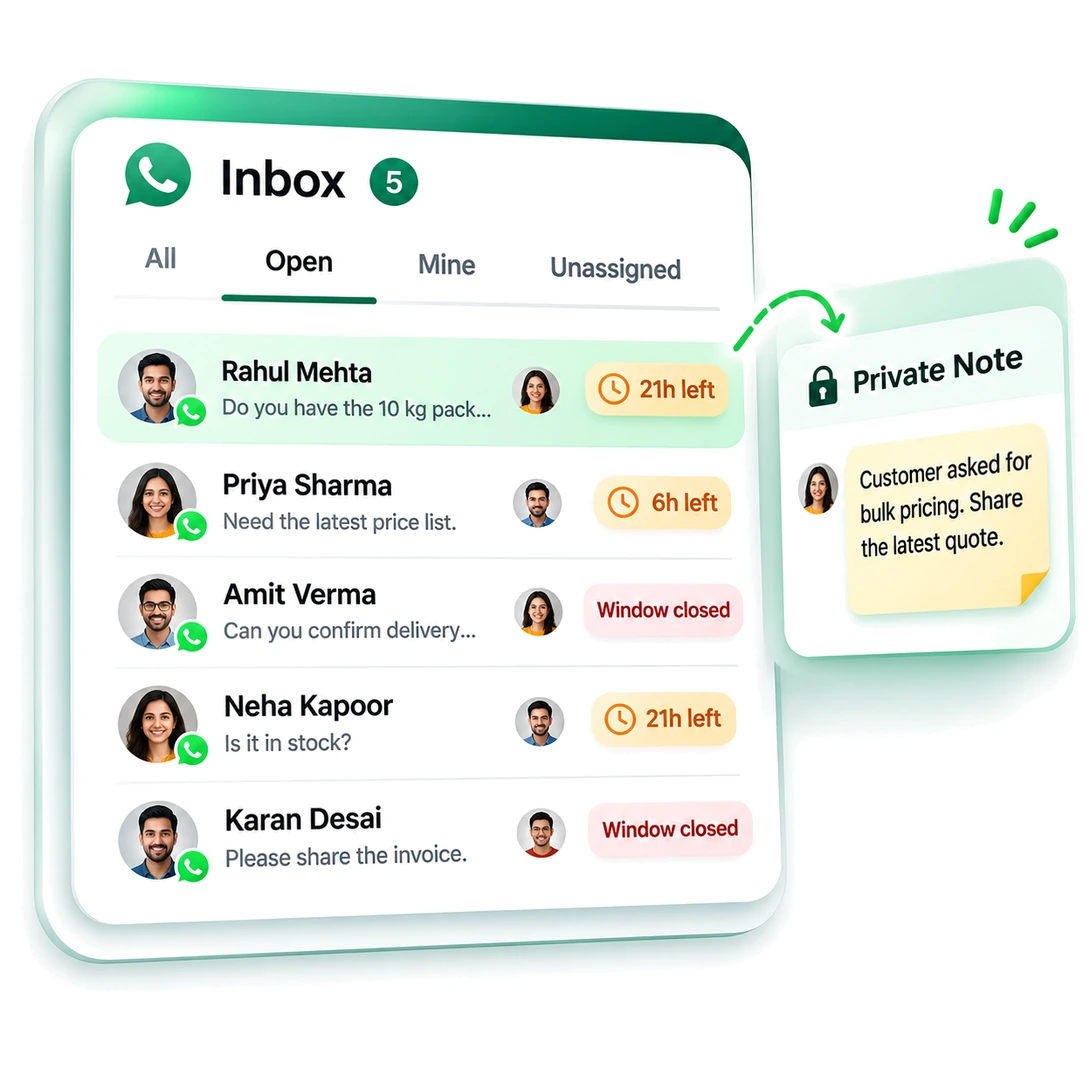
Give every customer a named owner
All customer chats arrive in one shared inbox. Assign each to a success manager, leave private notes and use saved replies.
- Assign chats to named teammates
- First reply claims a new chat
- Private notes only your team sees
- Saved replies with the / shortcut
- 24-hour timer on every chat
- SUPPORT
Answer common questions automatically
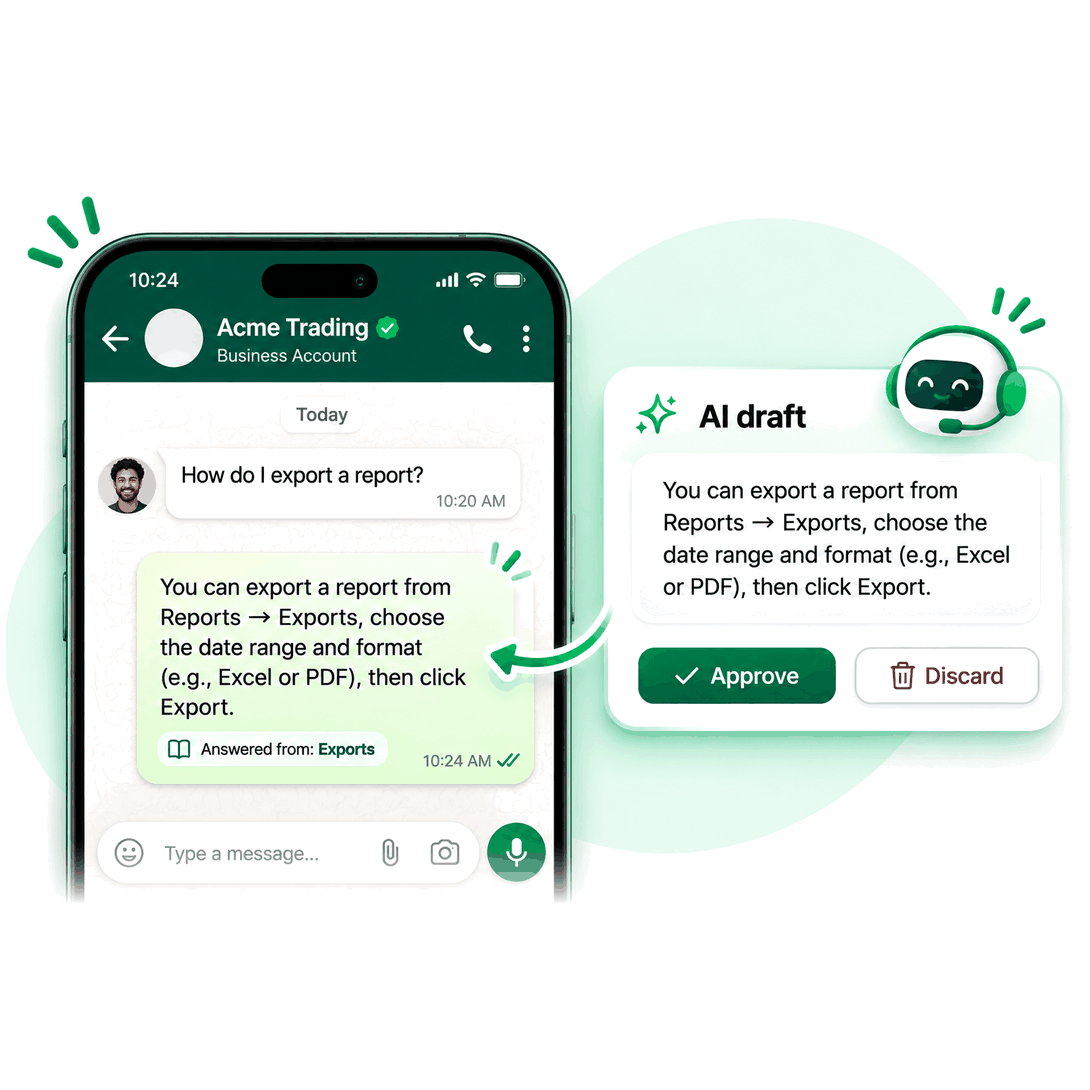
Write your FAQ answers once and let Smart chat reply with them, or leave a draft for an agent to approve.
- FAQ and product answers, CSV import
- Send directly or keep drafts for approval
- Playground to test answers
- Needs an answer list and coverage stats
- Hand over when it is not sure
Smart chat is on the Starter plan and above
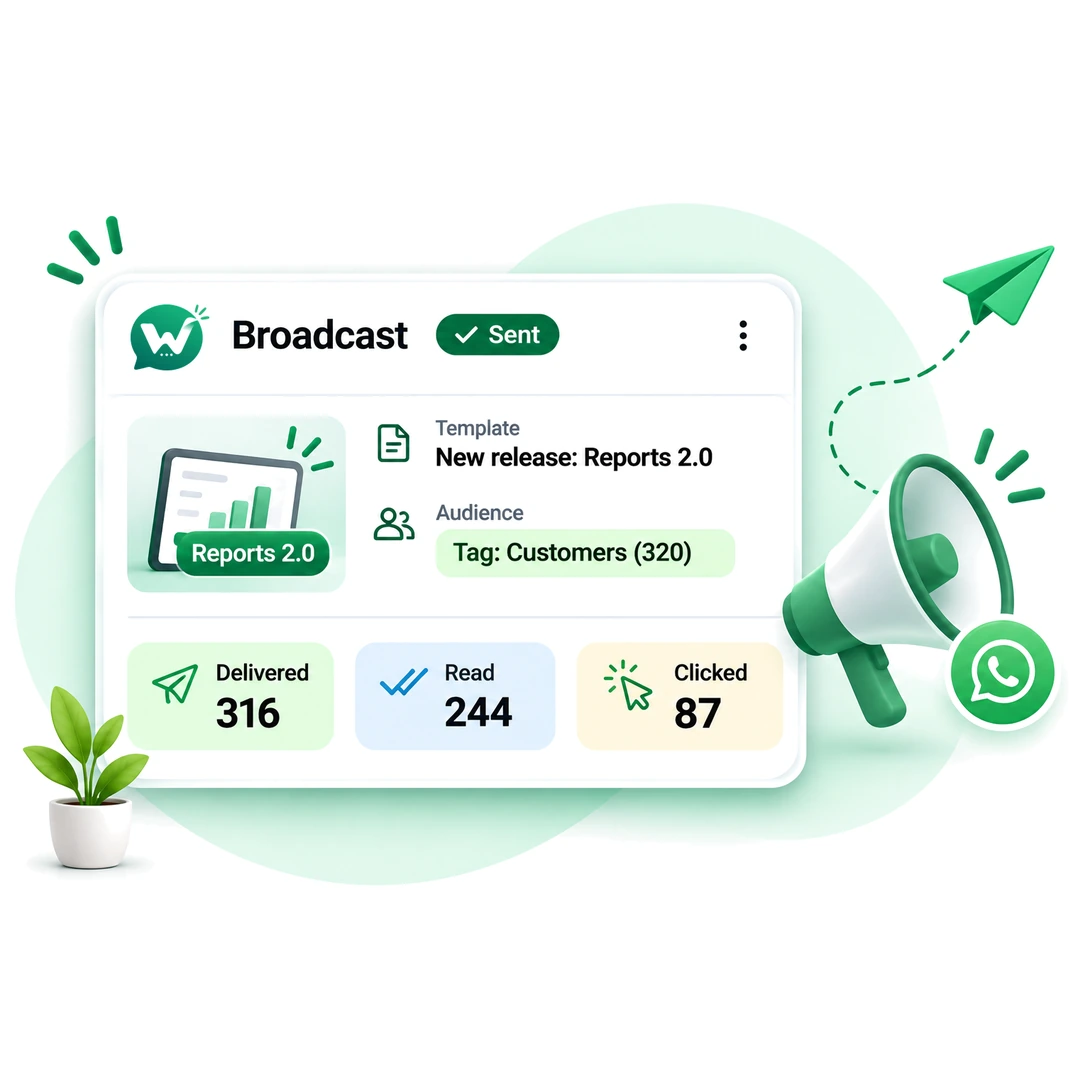
Announce releases to the right customers
Send product updates to a list or tag with an approved template, schedule them and see who read and clicked.
- Approved templates for each update
- Send to a list, a tag or everyone
- Schedule for the right time
- Delivered, read and clicked status
- PDF report for each broadcast
- TRIAL FOLLOW-UPS
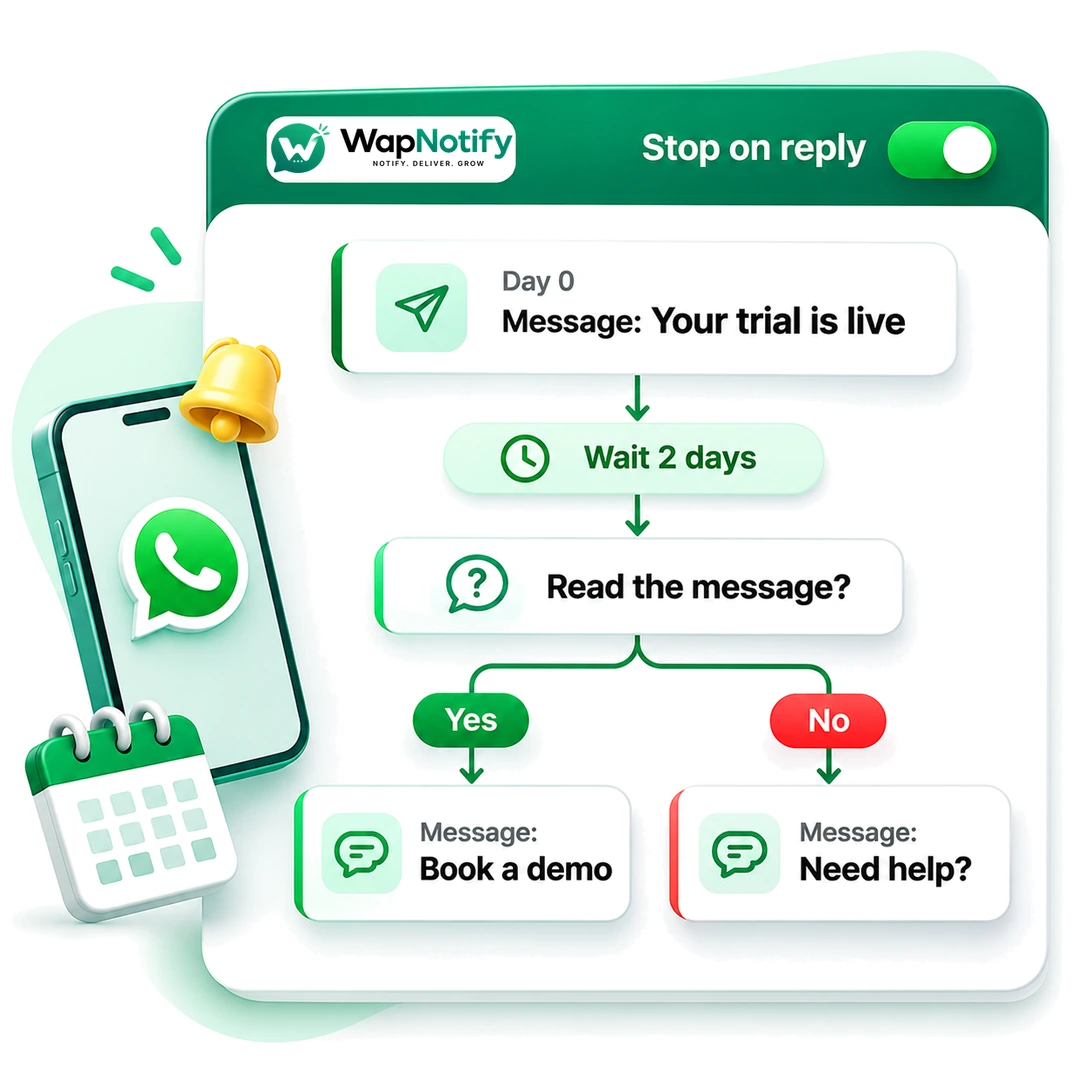
Nurture trials with multi-step journeys
Build a journey of messages, waits and questions that reacts to reads, replies and clicks.
- Message, wait, question and end steps
- Sending hours with a time zone
- Stop on reply
- Results for each step
- Follow up with people who did not read
- PROPOSALS
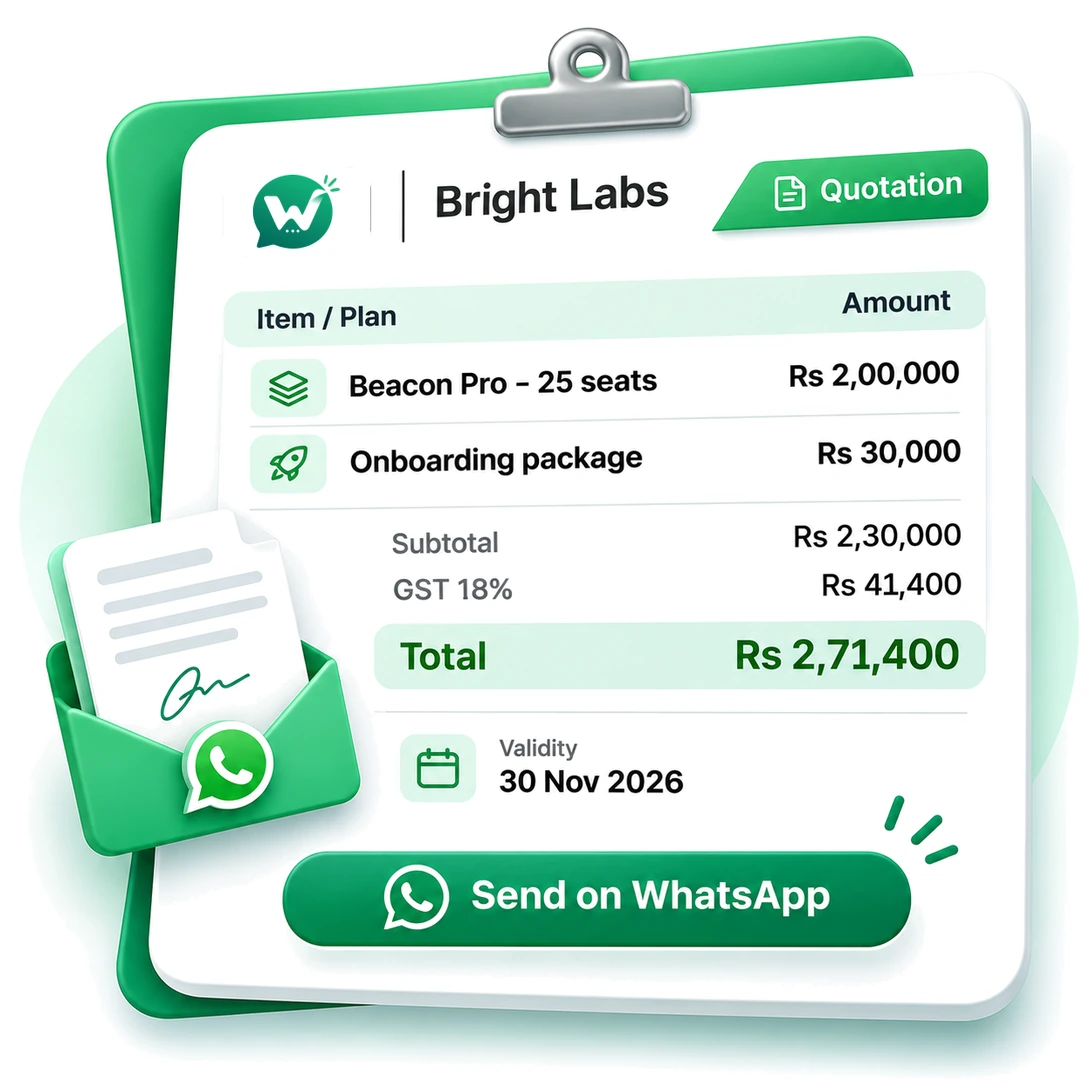
Send proposals as a PDF in the same chat
Create a quotation with items, tax and a validity date, send it on WhatsApp and mark it accepted or rejected.
- Line items with tax
- Validity date on every quote
- PDF sent on WhatsApp
- Accepted or rejected status
- Sales orders with a PDF tax invoice
- Webhooks & REST APIs - connect anything
Why B2B SaaS Teams Choose WapNotify
WapNotify is a direct Meta WhatsApp Business API partner. Meta bills conversation charges at its standard rates, and WapNotify adds no markup. You pay a flat monthly platform fee.
Prospects, customers and support in one shared inbox. Assign chats, keep private notes and control access with roles.
Track leads in a pipeline, book demos and send quotations on WhatsApp. These are on the Business plan.
Guided Meta Business Manager setup, then import your leads from a CSV. Meta approval usually takes 24–48 hours.
WapNotify vs Email and Spreadsheets
| Feature | WapNotify | Email and spreadsheets |
|---|---|---|
| Lead qualification | A form inside the chat | A web form and a follow-up email |
| Demo booking | Free slots in the chat (Business) | Back-and-forth emails |
| Lead tracking | Pipeline stages with reminders (Business) | A spreadsheet |
| Onboarding | Welcome flow and forms | Manual emails |
| Customer chats | Shared inbox with assignment | Individual mailboxes |
| Product updates | One send to a tag or list | Mass email |
| Works at night and weekends | Yes, with automatic replies | Only when someone is online |
B2B SaaS
Up and running in 4 simple steps.


Sign Up Free
No card. 14-day full-feature trial.
Connect WhatsApp
We walk you through Meta Business Manager setup, step by step.
Import Your Leads
Upload a CSV and group leads by tag and list.
Launch Your First Flow
Start with a reply to demo requests, then add a booking form.
14-day free trial. No credit card needed.
Frequently Asked Questions
How does WapNotify help a B2B SaaS team?
Prospects and customers can reach you on WhatsApp, and your team qualifies leads, books demos, onboards customers and answers support from one shared inbox.
Can I qualify leads inside WhatsApp?
Yes. Send a form or a flow that asks about company size and needs, and tag the answers. Forms and flows start at the Starter plan.
Can prospects book a demo in the chat?
Yes. Appointment booking finds free slots for each team member and sends a confirmation with the date and time. It is on the Business plan.
Can I track deals in a pipeline?
Yes. The Leads board has stages from New to Deal Done, plus reminders and notes. Creating and moving leads is on the Business plan, and Free and Starter can view.
Can I onboard customers with a flow?
Yes. Start a welcome flow from a QR code, a link or a keyword, ask setup questions with a form, and share files and guides.
Can my success and support teams share one number?
Yes. All chats come into one shared inbox. Assign each chat to a teammate, leave private notes and use saved replies.
Can Smart chat answer common product questions?
Yes. Write your FAQ answers once and Smart chat replies with them, or leaves a draft for an agent to approve. If it isn’t sure, it can hand over.
Can I send product updates to customers?
Yes. Send an approved template to a list or tag, schedule it, and see who received, read and clicked.
Does it collect payments or send invoices?
It doesn’t collect payments. On the Business plan you can send quotations and PDF tax invoices on WhatsApp.
How long does setup take?
Setup is guided through Meta Business Manager, and Meta approval usually takes 24–48 hours. After that you can import your leads and start sending.
Stop chasing leads by email. Start closing on WhatsApp.
Qualify leads, book demos and support customers on the channel buyers already answer. Start your 14-day free trial today, no credit card needed.
✓ Official Meta WhatsApp Business API partner · ✓ 14-day free trial · ✓ No credit card